Recherche / Search
H3 Release Checker
Tool for automating pre-release checks of the H3 software.
Detailed report
1. Company and project context
1.1 The organization: Horizon Trading
Horizon Trading is a vendor of professional trading software aimed at financial institutions (investment banks, brokers, funds). Its flagship product, Horizon Market Maker 3 (H3 / HMM3), is a modular platform used in production by many clients around the world.
H3 development is organized into Scrum Teams working in two-week sprints. At the end of every cycle, a new version (service pack) of the software is prepared, validated, and shipped to clients.
1.2 The Release Manager role
For every sprint, a Scrum team takes its turn as Delivery Manager (Release Manager) for H3. Its responsibility is to guarantee the consistency and quality of the upcoming release before it is shipped.
To do so, they had to walk through a manual checklist (formalized in the internal document “How To Deliver a H3 Service Pack”) which included, for the Tasks done by the delivery manager part, more than ten distinct checks:
- Verify that no Change Request is disabled for the release.
- Verify that package versions are up to date.
- Verify completion of the Quality Control (QC) for every ticket in the release.
- Verify that no client name appears in tickets AND in the release note.
- Manually resync every ticket on the PSRV.
- Verify fix versions (each ticket must be tied to the right version).
- Identify and fix tickets present in two consecutive versions.
- Verify the H3 package list (typos, unknown packages, etc.).
- Re-sync after every fix.
- Request a Go / NoGo from the QA team.
- Create the final version and publish.
This procedure was time-consuming (around 30 to 45 minutes per release, more if inconsistencies had to be fixed), tedious, and prone to human error.
1.3 The requirements
My company tutor, in consultation with the QA team and the Release Managers, formulated the following need:
“We want a tool that, launched automatically several times a week and on demand, runs all the checklist verifications, generates a synthetic report and posts it to the ‘HMM Release’ Teams channel mentioning the right people. The Release Manager should be able to know at a glance whether the release is ready.”
A strong requirement is that the checks must exactly mirror the existing manual checklist, so that the tool’s report is immediately understood and accepted by the teams.
| Before: visual detection of anomalies | Before: visual detection of obsolete packages |
|---|---|
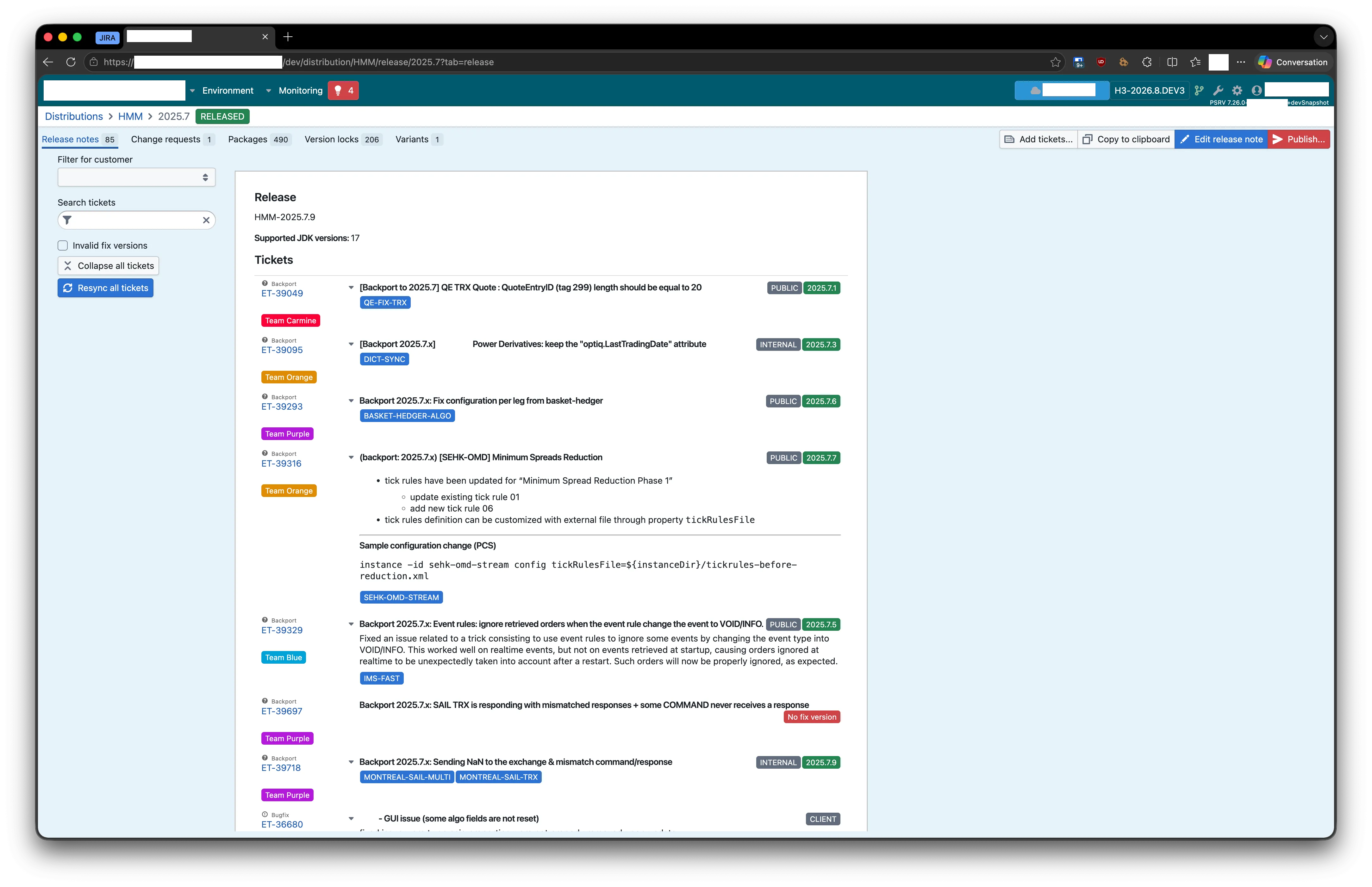 | 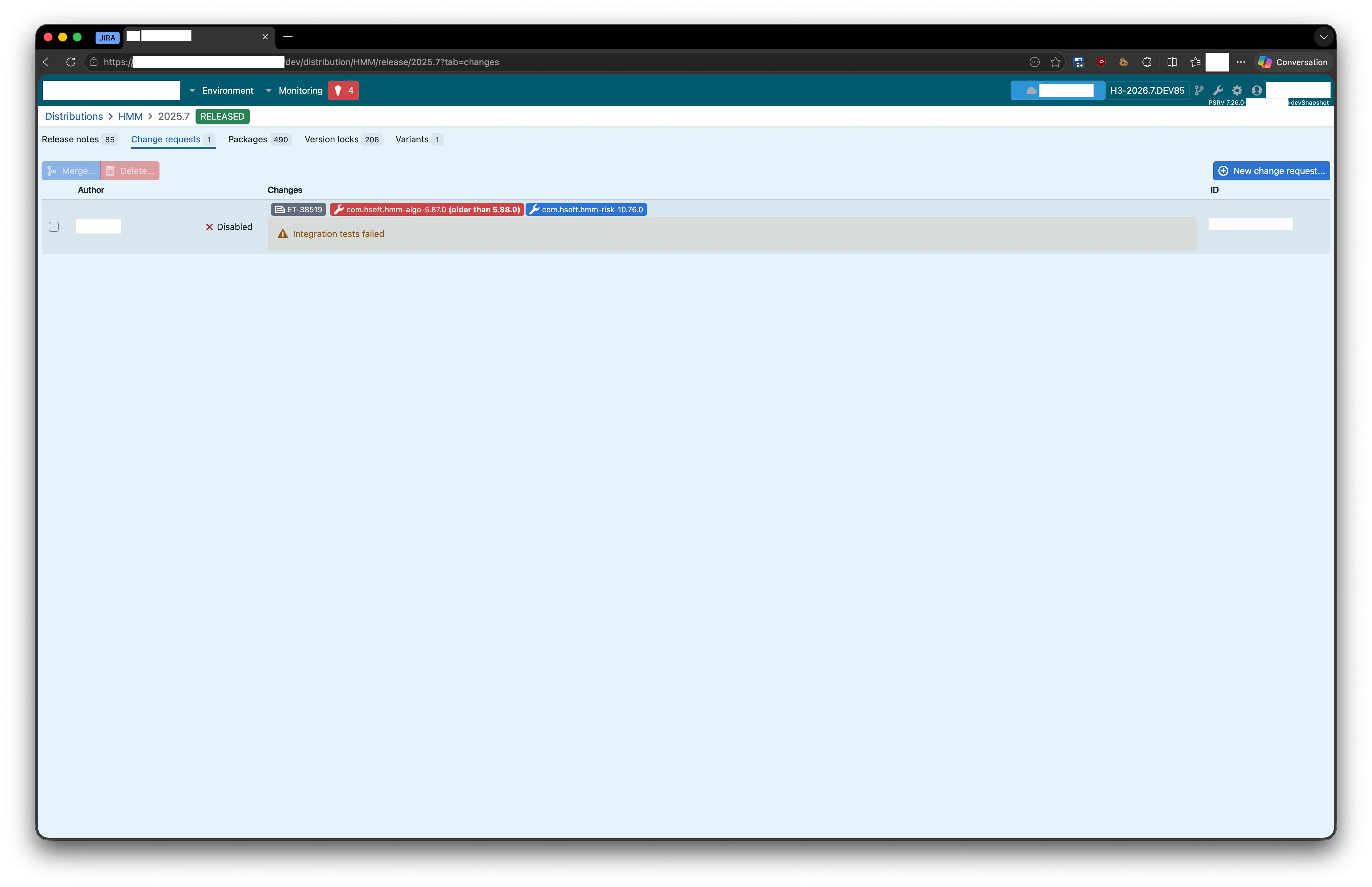 |
2. Existing landscape and preliminary analysis
2.1 Tools already in place
| Tool | Role | Access mode |
|---|---|---|
| Jira Cloud | Ticket, version and fix version management | REST API + Python pycontribs/jira library |
| PSRV (Packaging Server) | Internal tool managing distributions, change requests, packages, release notes and synchronization with a packaging Git repository | REST API httpx + local Java process |
| Microsoft Teams | Team communication, in particular the HMM Release channel | Webhook via Power Automate Workflow |
| Active Directory | User directory (UPN ↔ email resolution) | LDAP (ldap3) |
| Lucca | Absence management (leave, RTT) | REST API via the internal lucca library |
| Internal GitLab | Code forge, issues, CI/CD, Docker registry | SSH + HTTPS |
| Microsoft Entra ID | Organization SSO authentication | OAuth 2.0 (MSAL) |
2.2 Existing code
None. The project was initialized from scratch on 17 December 2024. It is an entirely personal undertaking, from design through to production, including the successive evolutions requested by users.
| An H3 release in Jira | Custom fields used on a ticket |
|---|---|
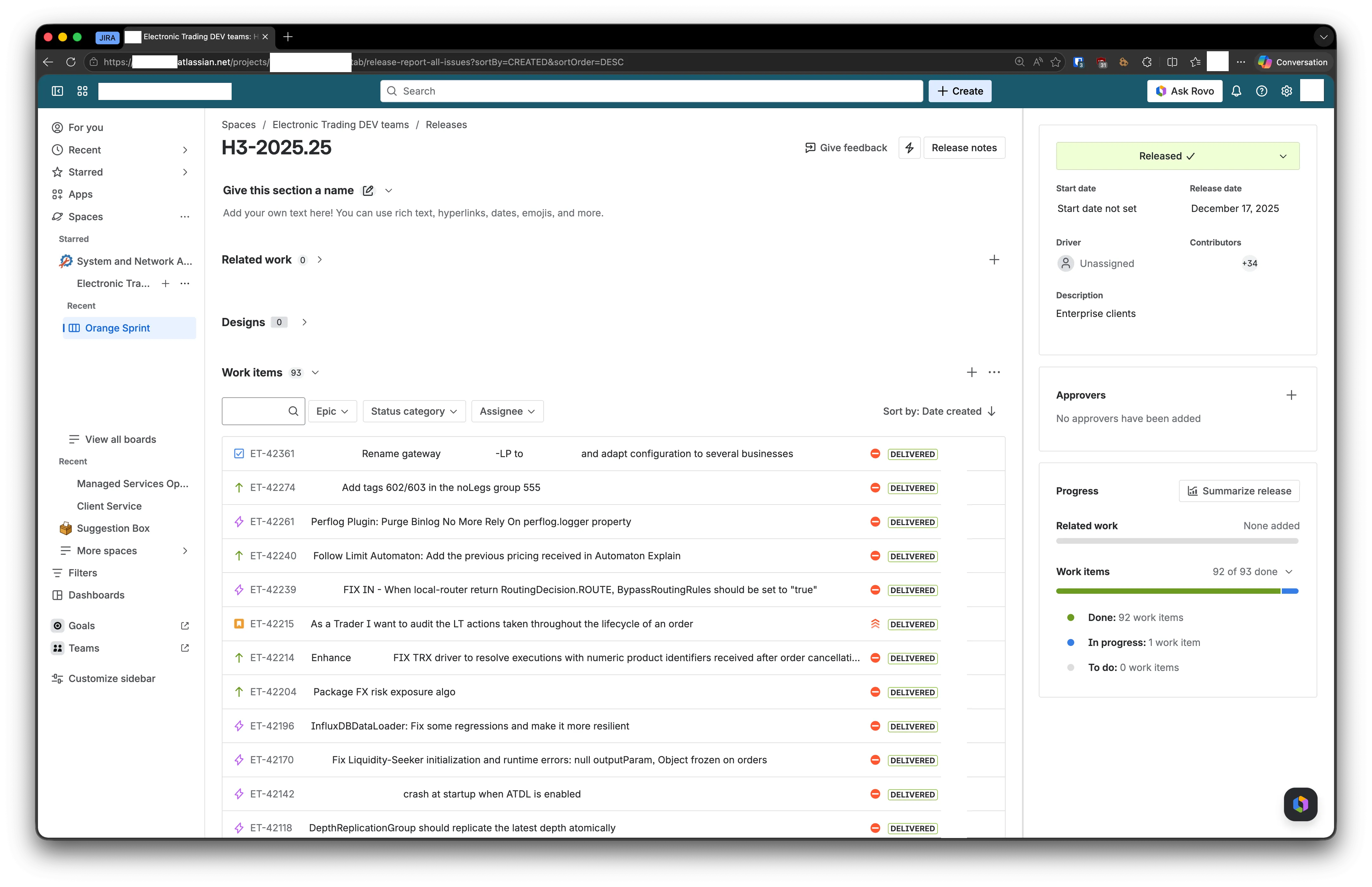 | 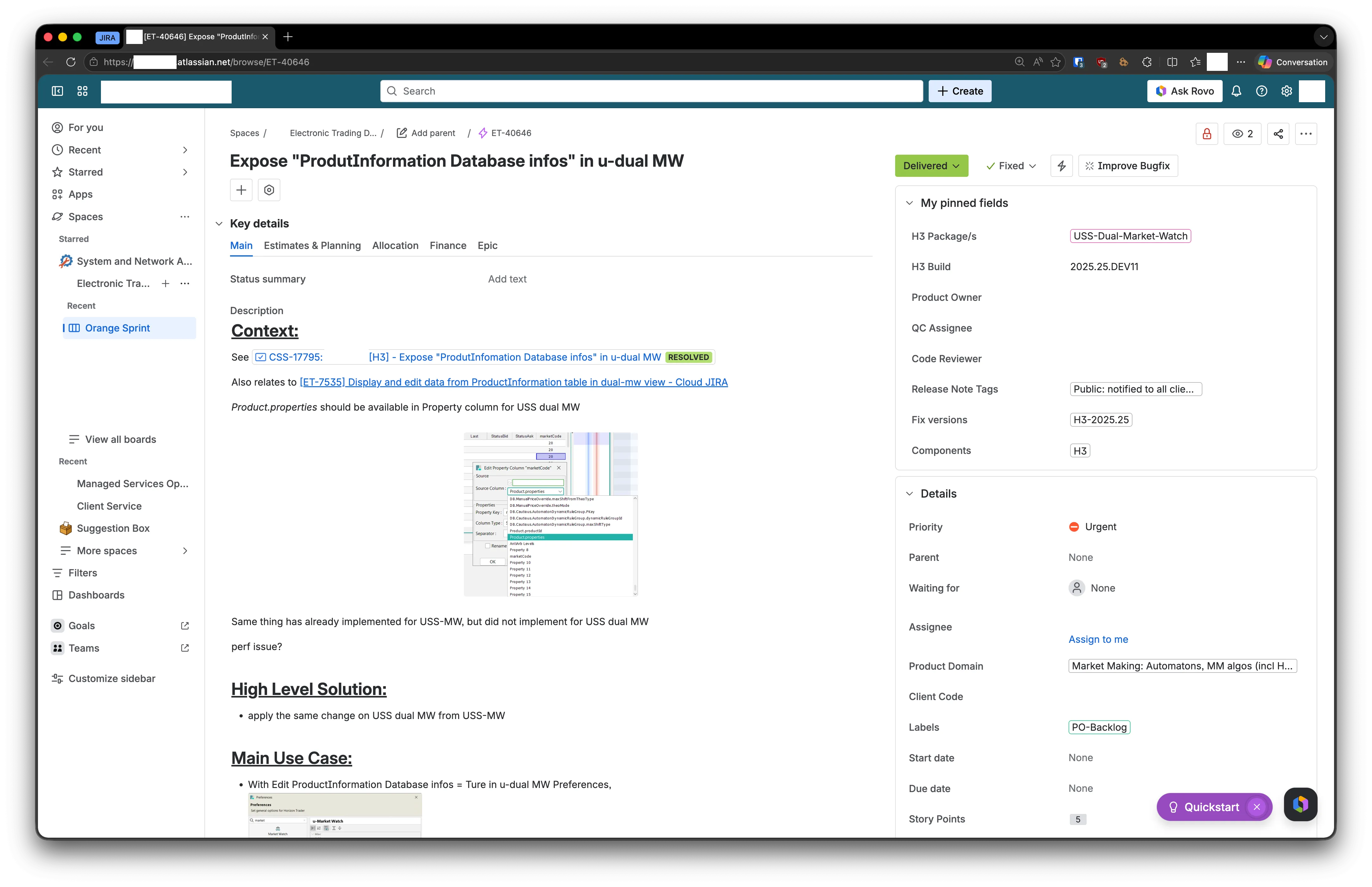 |
2.3 Functional requirements analysis
Starting from the manual checklist, I extracted the exhaustive list of checks to automate:
- Tickets missing on the PSRV side: a Jira ticket flagged with fixVersion =
<release>but absent from the PSRV release. - Tickets missing on the Jira side: conversely, a ticket present in the PSRV release but without the matching Jira fixVersion.
- Invalid fix versions: a ticket whose fixVersion (Jira or PSRV) is empty, duplicated, or does not exactly match the name of the upcoming release.
- Disabled Change Requests: presence of a change request with
disabled = truefor the release. - Invalid H3 packages: a ticket declares a package that does not exist in the PSRV’s known package list (typos, old names, etc.).
- Obsolete packages: the version of a package included in the release is not the latest available (e.g.,
SHORTSELL 0.16.0 (latest: 0.17.0)). - Unfinished tickets: a ticket whose Jira
statusCategoryis notdone. - Exclusion of internal tickets: tickets carrying the INTERNAL label must not appear in the public release note.
3. Solution design and architecture
3.1 Overview
The application is structured into three main modules:
app/
├── cli/        ← Typer application (command-line interface)
│   └── main.py
├── logic/      ← Reusable business core
│   ├── clients/        (third-party library wrappers: JiraClient)
│   ├── services/       (business services: Jira, PSRV, Teams, LDAP, History, Auth, Java…)
│   ├── models/         (SQLAlchemy + Pydantic Adaptive Cards models)
│   ├── enums/          (JiraCustomField...)
│   ├── exceptions/     (business exceptions)
│   ├── utils/          (logger, file_manager, path_helper...)
│   ├── config/         (Pydantic settings)
│   └── release_checker.py    (main orchestrator)
└── web/        ← NiceGUI application (web interface)
    ├── main.py
    ├── middleware.py           (Entra ID auth)
    ├── auth_routes.py
    ├── components/             (ReleaseCheckForm, PsrvControl...)
    └── tabs/                   (release_check, history, latest_release, tools_management)
This separation makes it possible to reuse the same business logic from the CLI, from the web interface, and from unit tests.
3.2 Technical architecture
---
config:
  layout: elk
---
flowchart TB
    %% =====================================================
    %% USERS / ENTRY POINTS
    %% =====================================================
    subgraph users["👥 Users & Triggers"]
        direction LR
        U1["👤 Release Manager<br/>QA Team"]
        U2["⏰ cron<br/>(dashupgrade)"]
    end

    %% =====================================================
    %% PRESENTATION LAYER
    %% =====================================================
    subgraph presentation["🎨 Presentation Layer"]
        direction LR
        WEB["🌐 Web App<br/>NiceGUI / FastAPI<br/><i>app/web/</i>"]
        CLI["⌨️ CLI<br/>Typer<br/><i>app/cli/main.py</i>"]
    end

    %% =====================================================
    %% AUTH MIDDLEWARE
    %% =====================================================
    AUTH["🔒 EntraAuthMiddleware<br/><i>middleware.py</i>"]

    %% =====================================================
    %% LOGIC / BUSINESS LAYER
    %% =====================================================
    subgraph logic["🧠 Business Logic Layer (app/logic/)"]
        direction TB
        ORCH["🎯 ReleaseChecker<br/><i>release_checker.py</i><br/>Main orchestrator"]

        subgraph services["Services"]
            direction LR
            S_JIRA["JiraService"]
            S_PSRV["PsrvService"]
            S_LDAP["LdapService"]
            S_TEAMS["TeamsService"]
            S_HIST["HistoryService"]
            S_AUTH["AuthService<br/>(MSAL)"]
            S_JAVA["JavaService"]
            S_REPORT["ReleaseReport<br/>Generator"]
        end

        subgraph models["Models"]
            direction LR
            M_EXEC["ExecutionRecord<br/>(SQLAlchemy)"]
            M_CARD["TeamsCard<br/>(Pydantic)"]
            M_TICKET["TicketSummary<br/>(dataclass)"]
        end
    end

    %% =====================================================
    %% PERSISTENCE
    %% =====================================================
    DB[("💾 SQLite<br/>history.db")]

    %% =====================================================
    %% EXTERNAL SYSTEMS
    %% =====================================================
    subgraph external["🌍 External systems"]
        direction TB
        EXT_JIRA["📋 Jira Cloud<br/>REST API"]
        EXT_PSRV["📦 PSRV<br/>(Java process +<br/>REST API + Git)"]
        EXT_AD["🏢 Active Directory<br/>(LDAP)"]
        EXT_LUCCA["📅 Lucca<br/>(absences API)"]
        EXT_TEAMS["💬 Power Automate<br/>→ MS Teams"]
        EXT_ENTRA["🔑 Microsoft Entra ID<br/>(OAuth 2.0)"]
        EXT_AZUL["☕ Azul Zulu JDK<br/>(metadata API)"]
    end

    %% =====================================================
    %% FLOWS
    %% =====================================================
    U1 --> WEB
    U2 --> CLI

    WEB --> AUTH
    AUTH --> WEB
    AUTH -.OAuth.-> EXT_ENTRA

    WEB --> ORCH
    CLI --> ORCH

    ORCH --> S_JIRA
    ORCH --> S_PSRV
    ORCH --> S_LDAP
    ORCH --> S_TEAMS
    ORCH --> S_HIST
    ORCH --> S_JAVA
    ORCH --> S_REPORT

    S_JIRA --> EXT_JIRA
    S_PSRV --> EXT_PSRV
    S_LDAP --> EXT_AD
    S_TEAMS -.via Lucca.-> EXT_LUCCA
    S_TEAMS --> EXT_TEAMS
    S_AUTH --> EXT_ENTRA
    S_JAVA --> EXT_AZUL

    S_HIST --> M_EXEC
    M_EXEC --> DB

    S_REPORT --> M_TICKET
    S_TEAMS --> M_CARD

    %% =====================================================
    %% STYLING
    %% =====================================================
    classDef user fill:#FBEA5A,stroke:#b8860b,stroke-width:2px,color:#000
    classDef presentation fill:#65A8EE,stroke:#1e88e5,stroke-width:2px,color:#000
    classDef logic fill:#42F23F,stroke:#2e7d32,stroke-width:2px,color:#000
    classDef external fill:#F6706C,stroke:#c62828,stroke-width:2px,color:#000
    classDef db fill:#CA76FA,stroke:#6a1b9a,stroke-width:2px,color:#000
    classDef auth fill:#F8BF5B,stroke:#e65100,stroke-width:2px,color:#000

    class U1,U2 user
    class WEB,CLI presentation
    class ORCH,S_JIRA,S_PSRV,S_LDAP,S_TEAMS,S_HIST,S_AUTH,S_JAVA,S_REPORT,M_EXEC,M_CARD,M_TICKET logic
    class EXT_JIRA,EXT_PSRV,EXT_AD,EXT_LUCCA,EXT_TEAMS,EXT_ENTRA,EXT_AZUL external
    class DB db
    class AUTH auth
Legend
- 🟡 Users & Triggers: who or what triggers a release check.
- 🔵 Presentation Layer: user interfaces (NiceGUI web app or Typer CLI).
- 🟠 Authentication middleware: protects the web interface (deny by default).
- 🟢 Business Logic Layer: reusable services, data models, central orchestrator.
- 🟣 Persistence: local SQLite database (execution history).
- 🔴 External systems: third-party APIs and services consumed by the application.
3.3 Justified technology choices
| Choice | Justification |
|---|---|
| Python 3.13 | Language already used in other internal tools; broad ecosystem (Jira, MSAL, ldap3, SQLAlchemy, NiceGUI). |
| Poetry 2 | Deterministic dependency management, lockfile, dev/prod dependency groups, easy packaging. |
| Typer | Very fast construction of a clean CLI from simple Python type annotations. |
| NiceGUI (on FastAPI) | Lets you write a reactive web frontend entirely in Python without having to develop a separate React/Vue client. Ideal for an internal tool maintained by a single person. |
| Pydantic + Pydantic Settings | Typed validation and serialization (used both for Adaptive Cards and for configuration via environment variables). |
| SQLAlchemy 2.0 + SQLite | Mature ORM, no database server to administer; SQLite is more than enough for the history volume of an internal tool. |
| httpx (async) | Asynchronous HTTP client, essential for parallelizing calls to Jira and the PSRV (which significantly reduces total execution time). |
| MSAL Python | Official Microsoft library for Entra ID authentication using the Authorization Code flow. |
| Multi-stage Docker | Minimal production image, development image with hot-reload, offline exam build (Dockerfile.exam) without internal network access. |
| Ruff | Ultra-fast linter + formatter, ALL preset for the highest level of strictness. |
| pytest | De facto standard for Python tests, async support via pytest-asyncio. |
3.4 Data model: executions table
3.4.1 Single-table model
The application persists execution history in a local SQLite database managed via the SQLAlchemy 2.0 ORM. The schema is intentionally simple: a single executions table, in which complex fields (report and logs) are serialized as JSON in TEXT columns.
Why a “single-table with JSON” model?
| Choice | Justification |
|---|---|
| A single table | The application is single-user on the write side (cron + occasional clicks). No need for complex joins. |
report_summary as JSON | The report contents (statistics, ticket-by-ticket table, grouping by assignee) are opaque to the SQL engine: they are never filtered or aggregated in SQL, and only serve to display the details of an execution. |
logs as JSON | Same: an execution’s logs are consulted as a whole in the detail view, never searched line by line. |
Index on timestamp and status | These two columns are the only ones used in the History view filters (sort by date, filter by status). |
id as String(36) | UUID v4 generated on the Python side, passed as-is to Power Automate to enable the ?tab=history&id=<uuid> deep-link from the Teams notification. |
erDiagram
    EXECUTIONS {
        string(36) id PK "UUID v4 - generated on the Python side"
        string(50) timestamp "ISO 8601 - INDEX"
        string(20) project_key "E.g.: ET"
        string(100) release_name "E.g.: H3-2026.04"
        string(20) status "success | partial | error - INDEX"
        text report_summary_json "Serialized JSON"
        text logs_json "Serialized JSON (list of strings)"
        float duration_seconds "Duration in seconds (nullable)"
    }
ER diagram of the executions table
The success / partial / error statuses make it possible to distinguish:
success: everything went smoothly.partial: the report was generated and persisted, but sending to Teams failed (for example, Power Automate unavailable). The report remains accessible in the history.error: an exception was raised before the report could be generated. The trace is saved for analysis.
3.4.2 Report structure
Although SQLAlchemy only sees a TEXT blob, the internal structure of report_summary_json is itself strongly typed on the Python side (via the TicketSummary and ReportContext dataclasses).
Here is its logical breakdown:
erDiagram
    EXECUTIONS ||--|| REPORT_SUMMARY : contains
    EXECUTIONS ||--o{ LOG_LINES : contains

    REPORT_SUMMARY ||--o{ TICKET_SUMMARY : "tickets_summary"
    REPORT_SUMMARY ||--o{ ASSIGNEE_BUCKET : "tickets_by_assignee"

    EXECUTIONS {
        string id PK "UUID"
        string timestamp "ISO 8601"
        string project_key
        string release_name
        string status "success/partial/error"
        text report_summary_json "JSON"
        text logs_json "JSON"
        float duration_seconds
    }

    REPORT_SUMMARY {
        int tickets_count
        int unready_tickets_count
        int invalid_h3_pkgs_count
        int missing_psrv_count
        int missing_jira_count
        string teams_error "present if status=partial"
        string error "present if status=error"
    }

    TICKET_SUMMARY {
        string ticket_id PK "E.g.: ET-12345"
        json   assignee "{displayName, emailAddress, key}"
        string reporter
        json   status "{name, statusCategory.key}"
        string product_owner
        string qc_assignee
        string code_reviewer
        json   fix_versions_jira
        json   fix_versions_psrv
        bool   fix_version_status_jira
        bool   fix_version_status_psrv
        string h3_build
        json   h3_packages_jira
        json   h3_packages_psrv
        json   h3_invalid_packages_psrv
        bool   h3_packages_status_jira
        bool   h3_packages_status_psrv
        bool   is_on_psrv
        bool   is_on_jira
        bool   is_in_both
        bool   has_disabled_cr
        bool   is_ok
    }

    ASSIGNEE_BUCKET {
        string assignee_display_name PK
        json   missing_psrv "List[ticket_id]"
        json   missing_jira "List[ticket_id]"
        json   invalid_fix_versions
        json   disabled_change_requests
        json   invalid_h3_packages
        json   unready
    }

    LOG_LINES {
        int line_number
        string content
    }
Internal structure of the JSON stored in report_summary_json and logs_json
3.4.3 Lifecycle of an executions row
The lifecycle of an executions row is as follows:
stateDiagram-v2
    [*] --> in_progress : ReleaseChecker.check_async()
    in_progress --> success : Report generated + Teams OK
    in_progress --> partial : Report generated + Teams KO
    in_progress --> error : Exception before generation
    success --> [*]
    partial --> [*]
    error --> [*]

    note right of partial
        The report is saved
        BEFORE sending to Teams
        to guarantee persistence
    end note

    note right of error
        Exception trace persisted
        in report_summary.error
    end note
3.4.4 Estimated volume
| Field | Typical size | Comment |
|---|---|---|
id | 36 bytes | Fixed UUID v4 |
timestamp | ~26 bytes | ISO 8601 with microseconds |
project_key | 2 to 20 bytes | E.g.: ET |
release_name | ~10 to 15 bytes | E.g.: H3-2026.04 |
status | 5 to 7 bytes | Enum |
report_summary_json | 5 to 50 KB | Depends on the number of tickets in the release (50 to 300 tickets in practice) |
logs_json | 2 to 10 KB | ~50 to 200 log lines per execution |
duration_seconds | 8 bytes | Float |
At a rate of about 3 executions per week (cron) plus a few manual executions, the database barely reaches a few megabytes over a full year: SQLite is more than adequately sized for this need.
3.5 Security and authentication
The web interface is protected by a Starlette middleware (app/web/middleware.py) which applies the “deny by default” principle:
- All routes require a valid user session (
app.storage.user["auth"]). - A very narrow allow-list authorizes the public routes required by the OAuth flow:
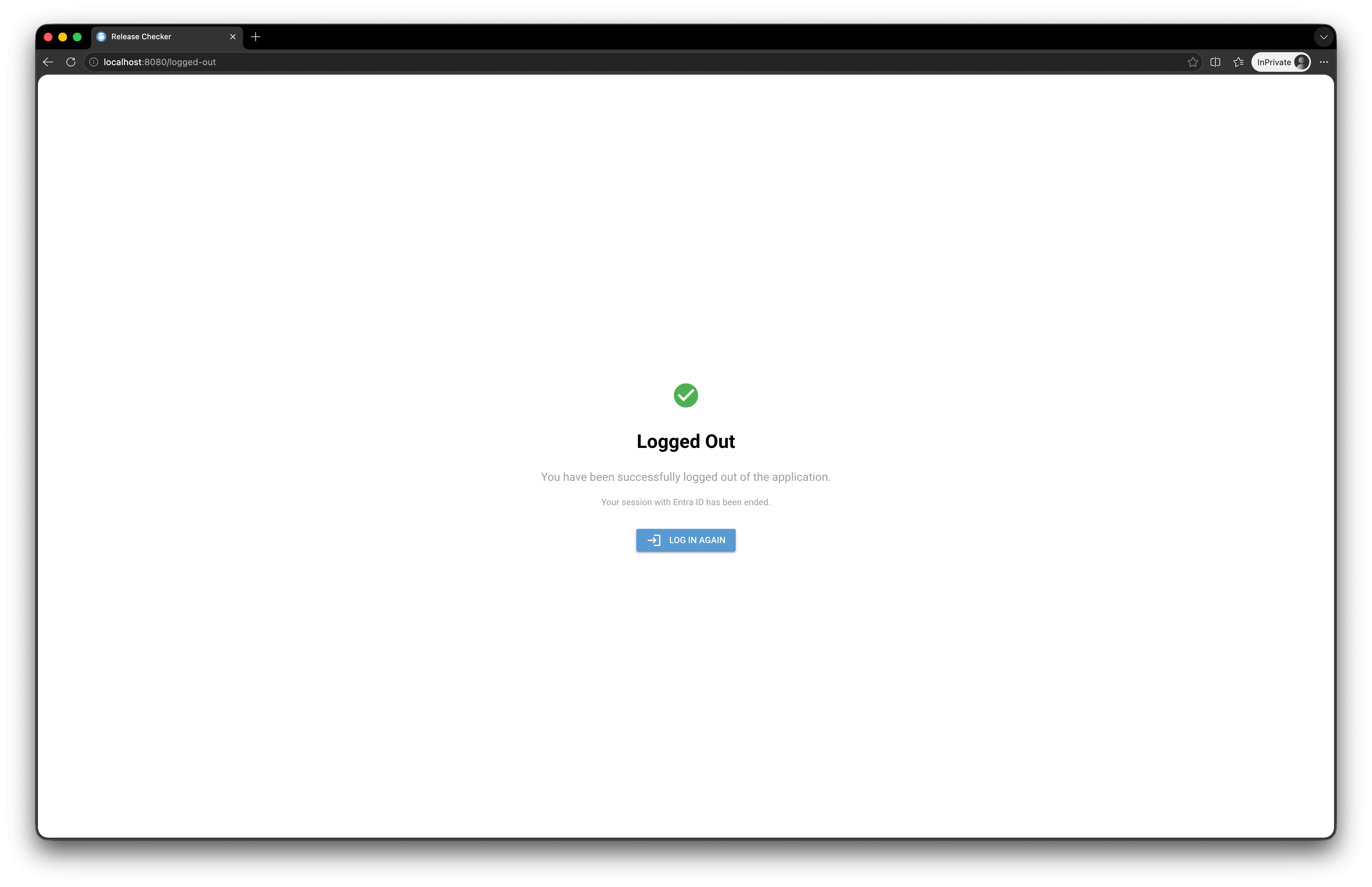
/login,/auth/callback,/logout,/logged-out,/access-deniedand the NiceGUI static resources (/_nicegui/,/static/).
The authentication service (app/logic/services/auth.py):
- Generates the Entra ID authorization URL via MSAL (
get_authorization_request_url). - On receiving the callback, exchanges the authorization code for an access token + id token (
acquire_token_by_authorization_code). - Extracts the claims (
name,preferred_username,groups) from the id token. - Maps the
groups(Entra ID object IDs) to two application-level roles:readwrite(groupENTRA_READWRITE_GROUP_ID)read(groupENTRA_READ_GROUP_ID)
- If the user does not belong to any allowed group, they are redirected to the
/access-deniedpage.
The web application then reacts to the role:
- A
readuser only sees the History tab (read-only). - A
readwriteuser sees all tabs and can trigger checks, delete history entries, etc.
sequenceDiagram
    autonumber
    actor User as 👤 User
    participant Browser as 🌐 Browser
    participant Mid as 🔒 EntraAuthMiddleware
    participant App as 🎨 NiceGUI App
    participant Auth as 🔑 AuthService<br/>(MSAL)
    participant Entra as ☁️ Microsoft Entra ID

    User->>Browser: Opens /
    Browser->>+Mid: GET /
    Mid->>Mid: Check app.storage.user["auth"]
    alt No session
        Mid-->>Browser: 302 Location: /login
        Browser->>+App: GET /login
        App->>+Auth: get_auth_url(redirect_uri)
        Auth->>Auth: get_authorization_request_url(<br/>scopes=[User.Read])
        Auth-->>-App: Microsoft URL
        App-->>-Browser: 302 to Microsoft
        Browser->>+Entra: Microsoft login
        User->>Entra: Enters credentials + MFA
        Entra-->>-Browser: 302 /auth/callback?code=...
        Browser->>+App: GET /auth/callback?code=...
        App->>+Auth: exchange_code(code, redirect_uri)
        Auth->>+Entra: acquire_token_by_authorization_code()
        Entra-->>-Auth: id_token + access_token
        Auth->>Auth: Decode claims<br/>(name, email, groups)
        Auth->>Auth: extract_role(groups)
        Auth-->>-App: {name, email, groups, role}
        alt role == None (no allowed group)
            App->>App: storage.user["auth"] = info<br/>(for context)
            App-->>Browser: redirect /access-denied
            Browser-->>User: 🚫 Access denied
        else role in [read, readwrite]
            App->>App: storage.user["auth"] = info
            App-->>-Browser: redirect /
            Browser->>Mid: GET /
            Mid->>Mid: ✅ Session OK
            Mid->>App: pass through
            App-->>Browser: Home page
            Browser-->>User: ✨ Application
        end
    else Valid session
        Mid-->>-Browser: pass through
        Browser-->>User: ✨ Application
    end

    Note over User,Entra: For logout:<br/>/logout → clears the session<br/>→ Microsoft logout endpoint<br/>→ /logged-out
OAuth 2.0 flow diagram
flowchart LR
    G1["👥 Entra ID group<br/>readwrite_group_id"] --> R1["🔓 Role: readwrite"]
    G2["👥 Entra ID group<br/>read_group_id"] --> R2["📖 Role: read"]
    G3["❌ No group"] --> R3["🚫 Role: None<br/>→ /access-denied"]

    R1 --> T1["✅ All tabs<br/>✅ Run check<br/>✅ Delete history"]
    R2 --> T2["✅ History tab only<br/>📖 Read-only"]

    classDef rw fill:#d6f5d6,stroke:#2e7d32,color:#000
    classDef ro fill:#fff4d6,stroke:#b8860b,color:#000
    classDef no fill:#f5d6d6,stroke:#c62828,color:#000

    class G1,R1,T1 rw
    class G2,R2,T2 ro
    class G3,R3 no
Role mapping
| Microsoft sign-in page | Authenticated header + role |
|---|---|
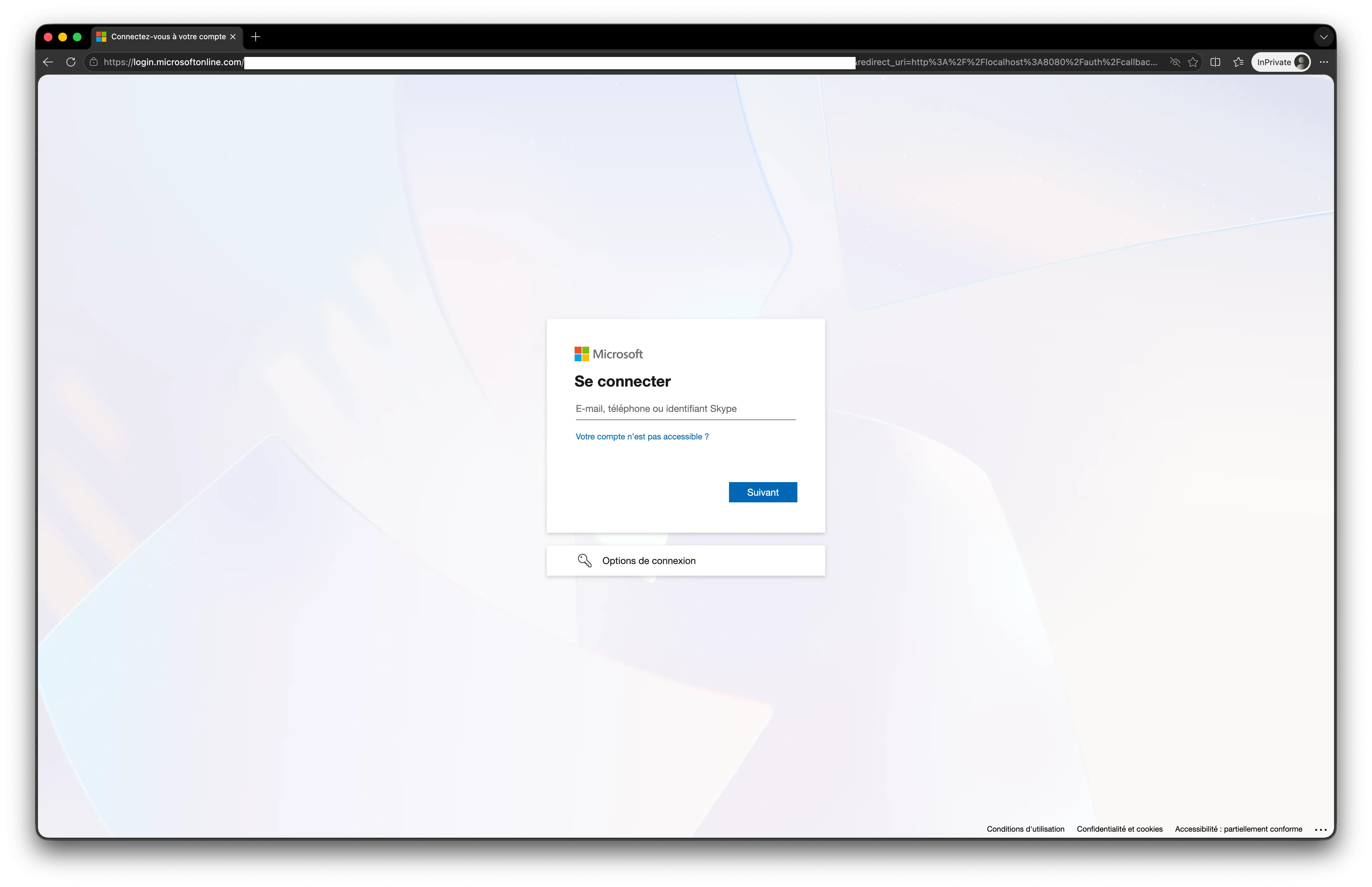 | 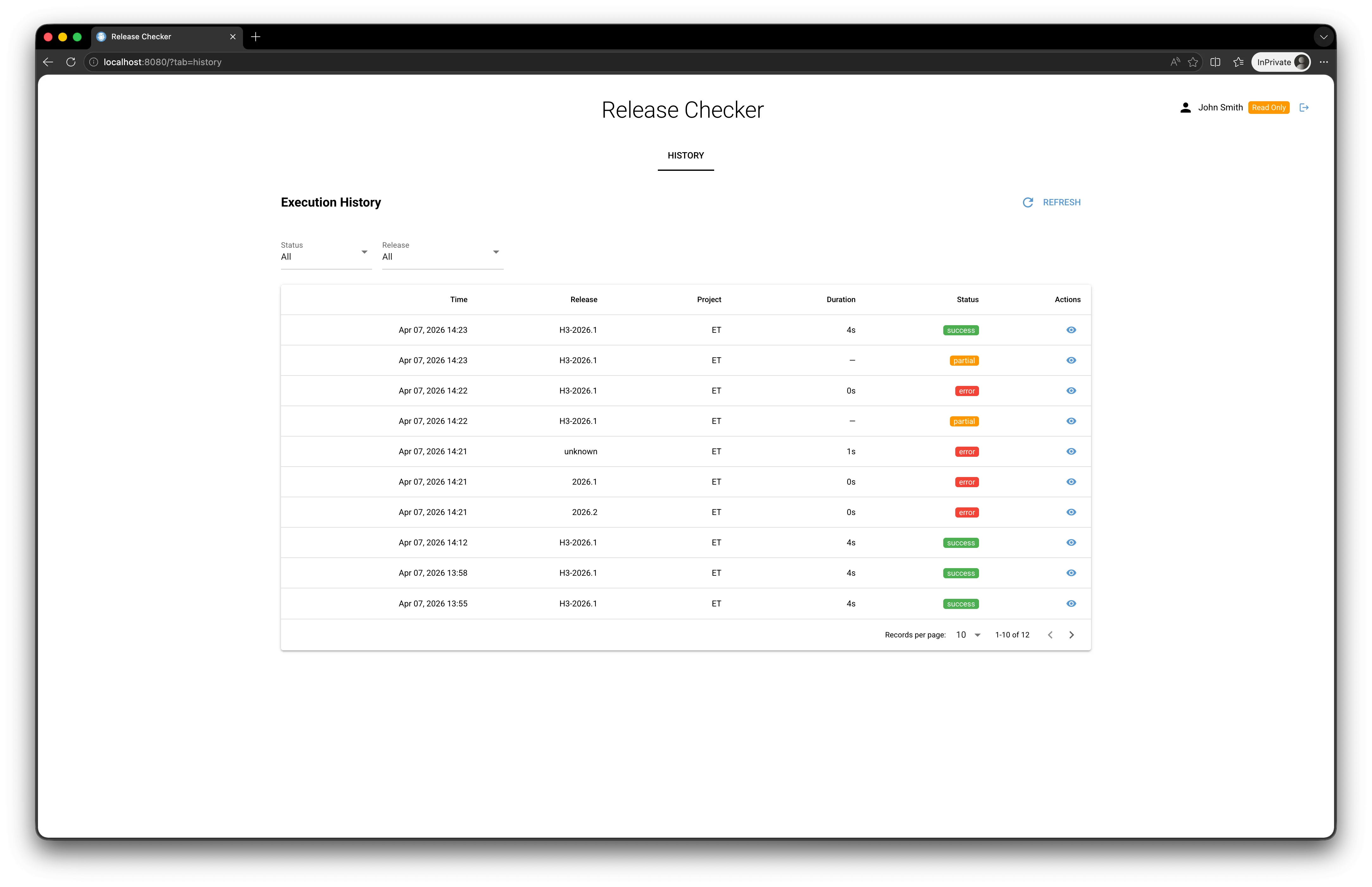 |
| Access Denied page (no group) | Logged Out page |
|---|---|
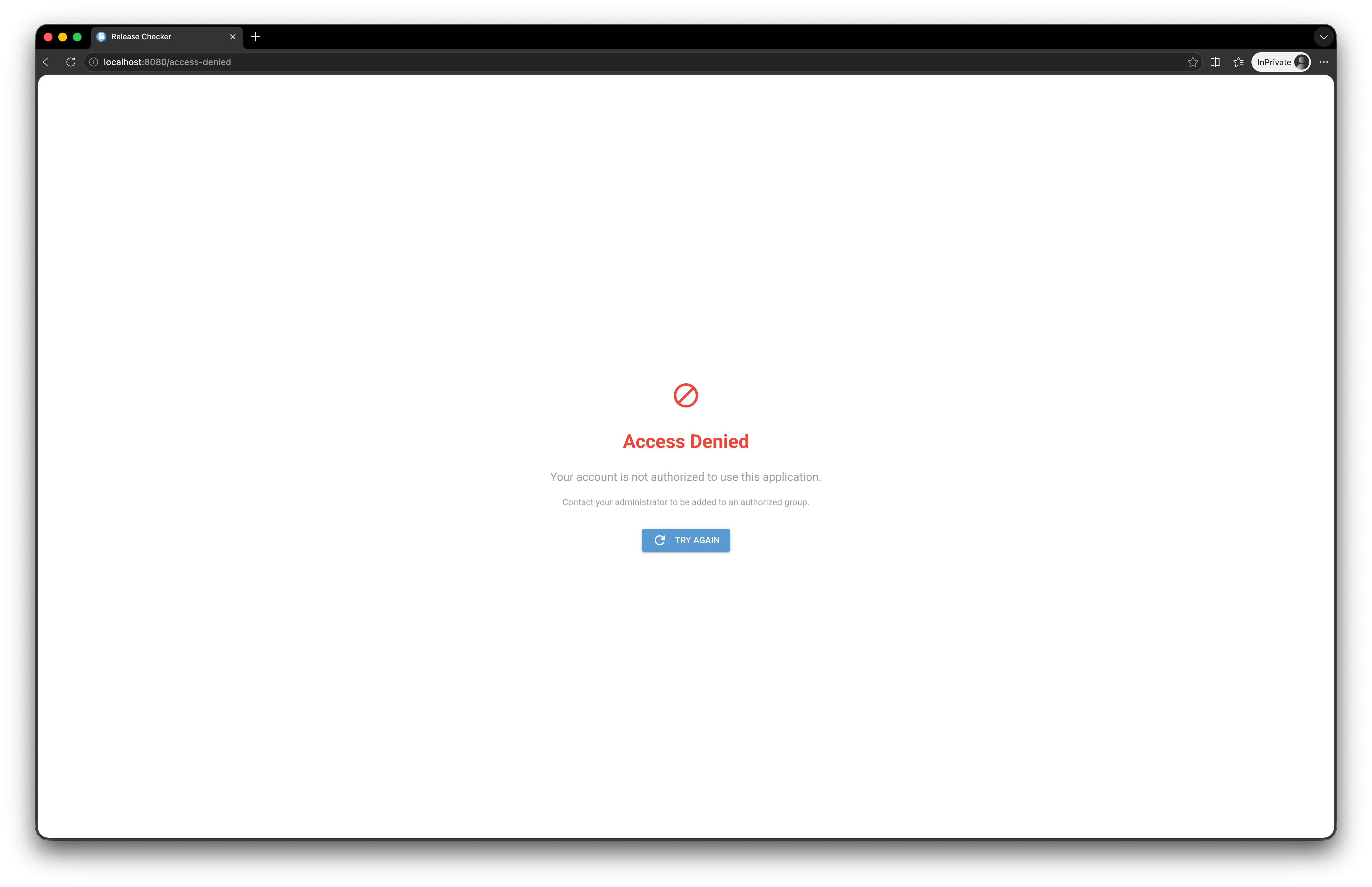 |  |
4. Feature details
This diagram illustrates the complete flow of a releases check command run (from either the web interface or the CLI), from the user’s click through to the Microsoft Teams notification. It highlights the asynchronous parallelization between fetching the Jira context and starting the PSRV thanks to asyncio.gather.
sequenceDiagram
    autonumber
    actor User as 👤 Release Manager
    participant Web as 🌐 NiceGUI Web
    participant Mid as 🔒 EntraAuthMiddleware
    participant RC as 🎯 ReleaseChecker
    participant Java as ☕ JavaService
    participant Jira as 📋 JiraService
    participant PSRV as 📦 PsrvService
    participant Report as 📊 ReportGenerator
    participant Hist as 💾 HistoryService
    participant DB as 🗄️ SQLite
    participant Lucca as 📅 Lucca
    participant LDAP as 🏢 LDAP/AD
    participant Teams as 💬 Teams (Power Automate)

    User->>+Web: GET /
    Web->>+Mid: Check session
    alt No session
        Mid-->>Web: 302 /login
        Web-->>User: Redirect to Entra ID
        User->>Web: OAuth2 callback (code)
        Web->>Web: exchange_code() / extract role
    end
    Mid-->>-Web: ✅ Authenticated
    Web-->>-User: Page (tabs depending on role)

    User->>+Web: Click "Run Check"
    Web->>+RC: check_async()

    Note over RC: Generate execution_id (UUID)

    Note over RC,Java: Phase 1 - Tools update (sequential)
    RC->>+Java: update_java()
    Java-->>-RC: JDK path
    RC->>+PSRV: update_psrv()
    PSRV-->>-RC: psrv.jar path

    Note over RC,PSRV: Phase 2 - asyncio.gather parallelization
    par Jira retrieval
        RC->>+Jira: get_next_release(project, prefix)
        Jira-->>-RC: next_release
        RC->>+Jira: get_issues_in_release()
        Jira-->>-RC: ticket list
    and PSRV startup
        RC->>+PSRV: start() + wait_for_health()
        PSRV-->>-RC: PID + health OK
    end

    Note over RC,PSRV: Phase 3 - PSRV interactions
    RC->>+PSRV: login()
    PSRV-->>-RC: httpx session
    RC->>PSRV: reset_repo() + pull_repo()
    RC->>PSRV: sync_tickets(distribution, release)
    RC->>+PSRV: get_release_info()
    PSRV-->>-RC: psrv_release_info
    RC->>+PSRV: create_dummy_cr()
    PSRV-->>-RC: dummy_cr
    RC->>+PSRV: get_repo_info()
    PSRV-->>-RC: psrv_repo
    RC->>RC: find_outdated_packages(dummy_cr, repo)
    RC->>PSRV: delete_cr(dummy_cr)
    RC->>PSRV: stop()

    Note over RC,Report: Phase 4 - Report generation
    RC->>+Report: generate_tickets_summary(context)
    Report-->>-RC: PrettyTable + List[TicketSummary]
    RC->>+Report: analyze_tickets_by_assignee()
    Report-->>-RC: dict tickets by assignee

    Note over RC,DB: Phase 5 - Persistence first
    RC->>+Hist: save_execution(status="success")
    Hist->>+DB: INSERT/UPDATE executions
    DB-->>-Hist: OK
    Hist-->>-RC: execution_id

    Note over RC,Teams: Phase 6 - Teams notification (best-effort)
    RC->>+Lucca: retrieve_between(today, today)
    Lucca-->>-RC: list of absentees

    loop For each affected assignee
        RC->>+LDAP: get_users_by_email(emailAddress)
        LDAP-->>-RC: UPN
        alt Assignee absent
            RC->>RC: Switch to QC assignee + Code reviewer
        end
        RC->>RC: create_mention_entity(displayName, UPN)
    end

    RC->>RC: create_message(adaptive cards)
    RC->>+Teams: POST Power Automate workflow
    alt Send OK
        Teams-->>RC: 200 OK
    else Teams failure
        Teams-->>-RC: ❌ Error
        RC->>Hist: save_execution(status="partial")
        Hist->>DB: UPDATE
    end

    RC-->>-Web: PrettyTable + report
    Web-->>-User: ✅ "Check completed"
    Note over User,Teams: Teams notification visible<br/>on the HMM Release channel
The six phases are as follows:
- Phase 1: Tools update (Java, PSRV) sequentially.
- Phase 2:
asyncio.gatherparallelization: while the PSRV starts up, the Jira data is fetched in parallel. - Phase 3: HTTP interactions with the PSRV REST API: repo reset, pull, ticket resync, retrieval of release and repo information, creation/deletion of a dummy change request (used to detect obsolete packages).
- Phase 4: Generation of the summary table and the per-assignee groupings.
- Phase 5: Immediate persistence of the report before attempting the Teams notification (so a report is never lost if sending fails).
- Phase 6: Sending the Microsoft Teams notification via Power Automate, with UPN resolution via LDAP, taking absences into account via Lucca, and a
partialfallback mechanism if sending fails.
This diagram presents the decision tree applied to each ticket during a release check, along with the anomalies surfaced in the report.
flowchart TB
    START([🎟️ For each ticket in the release]) --> Q1{Present<br/>on Jira side?}

    Q1 -- No --> A1["⚠️ MISSING JIRA<br/>(only in PSRV)"]
    Q1 -- Yes --> Q2{Present<br/>on PSRV side?}

    Q2 -- No --> A2["⚠️ MISSING PSRV<br/>(only in Jira)"]
    Q2 -- Yes --> Q3{Jira status<br/>= done?}

    Q3 -- No --> A3["⏳ UNREADY<br/>status KO"]
    Q3 -- Yes --> Q4{Jira fix version<br/>valid?}

    Q4 -- No --> A4["❌ INVALID FV<br/>(Jira)"]
    Q4 -- Yes --> Q5{PSRV fix version<br/>valid?}

    Q5 -- No --> A5["❌ INVALID FV<br/>(PSRV)"]
    Q5 -- Yes --> Q6{Cited in a<br/>Disabled CR?}

    Q6 -- Yes --> A6["🚫 DISABLED CR"]
    Q6 -- No --> Q7{All H3 packages<br/>are known?}

    Q7 -- No --> A7["📦 INVALID H3 PKGS<br/>(typo, old name...)"]
    Q7 -- Yes --> Q8{Package versions<br/>= latest?}

    Q8 -- No --> A8["📦 OUTDATED PKGS<br/>(non-blocking)"]
    Q8 -- Yes --> OK([✅ TICKET OK])

    A1 --> REPORT[(📊 Added to report<br/>+ grouped by assignee)]
    A2 --> REPORT
    A3 --> REPORT
    A4 --> REPORT
    A5 --> REPORT
    A6 --> REPORT
    A7 --> REPORT
    A8 --> REPORT
    OK --> REPORT

    REPORT --> NOTIF{Teams<br/>notification?}
    NOTIF -- Yes --> MENTION["@mention the assignee<br/>(via LDAP→UPN)"]
    MENTION --> ABSENT{Assignee<br/>on leave?<br/>}
    ABSENT -- Yes --> SUB["@mention QC assignee<br/>+ Code reviewer"]
    ABSENT -- No --> SEND[💬 Send to Teams]
    SUB --> SEND

    classDef errorClass fill:#ffd6d6,stroke:#c62828,color:#000
    classDef warnClass fill:#fff4d6,stroke:#b8860b,color:#000
    classDef okClass fill:#d6f5d6,stroke:#2e7d32,color:#000
    classDef qClass fill:#d6e9ff,stroke:#1e88e5,color:#000

    class A1,A2,A4,A5,A6,A7 errorClass
    class A3,A8 warnClass
    class OK okClass
    class Q1,Q2,Q3,Q4,Q5,Q6,Q7,Q8 qClass
The anomalies fall into several categories:
| Category | Severity | Description |
|---|---|---|
| MISSING PSRV | 🔴 Blocking | The Jira ticket has the right fixVersion but is not in the PSRV release. |
| MISSING JIRA | 🔴 Blocking | The ticket is in the PSRV release but does not have the matching Jira fixVersion. |
| INVALID FV | 🔴 Blocking | The Jira or PSRV fixVersion is empty, duplicated, or points to another release. |
| DISABLED CR | 🔴 Blocking | The ticket is attached to a disabled change request. |
| INVALID H3 PKGS | 🔴 Blocking | At least one of the packages declared on the ticket is not known to the PSRV (typo). |
| UNREADY | 🟡 To watch | The Jira status is not done (e.g., In Progress, In Review). |
| OUTDATED PKGS | 🟡 Informational | A package is in production with a version lower than the latest available (info, non-blocking). |
4.1 releases check CLI command
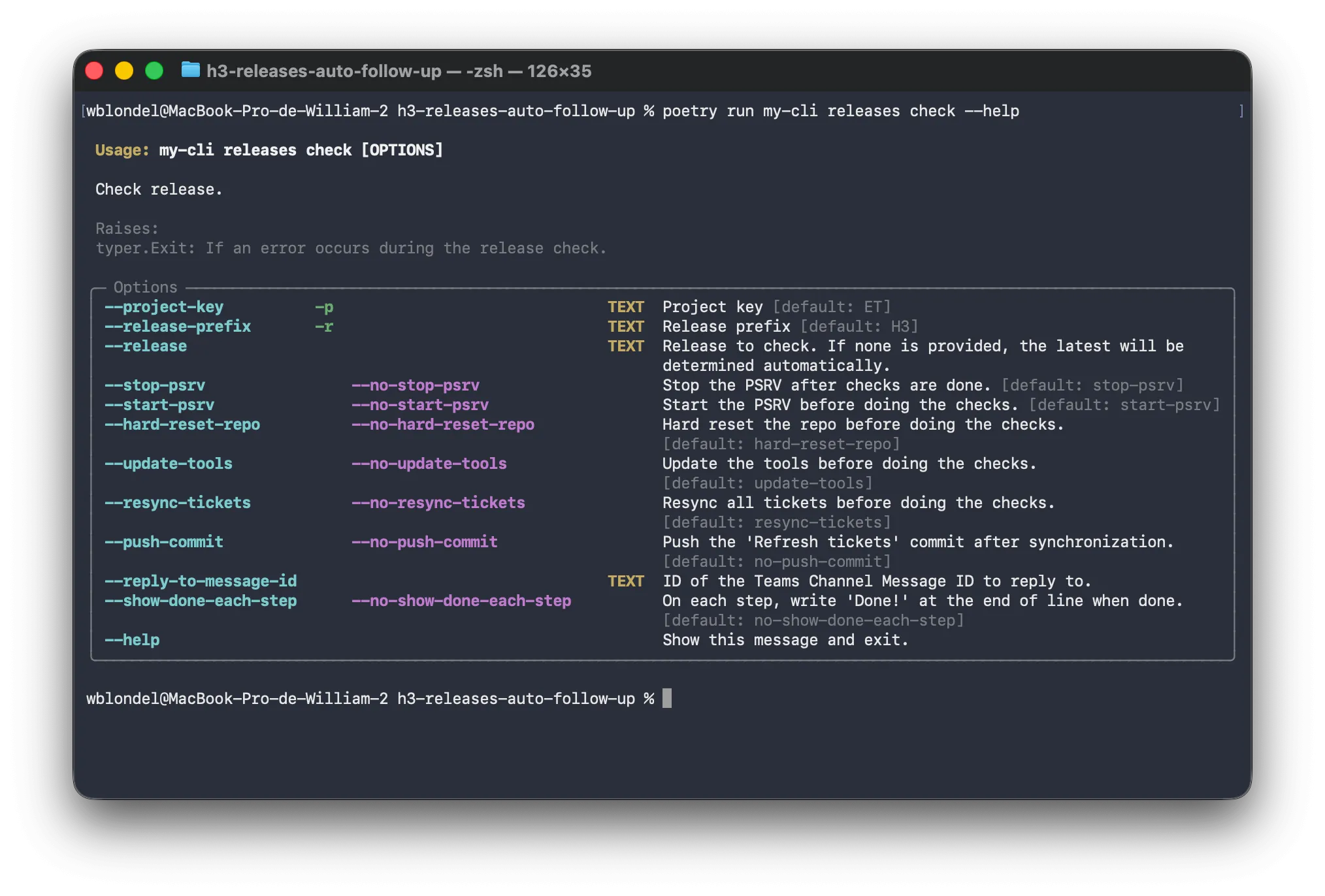
Usage: my-cli releases check [OPTIONS]

 Check release.

 Raises:
 typer.Exit: If an error occurs during the release check.

╭─ Options ─────────────────────────────────────────────────────────────────────────────────────────────────────────────────────────────╮
│ --project-key          -p       TEXT  Project key [default: ET]                                                                       │
│ --release-prefix       -r       TEXT  Release prefix [default: H3]                                                                    │
│ --release                       TEXT  Release to check. If none is provided, the latest will be determined automatically.             │
│ --[no]-stop-psrv                      Stop the PSRV after checks are done. [default: stop-psrv]                                       │
│ --[no]-start-psrv                     Start the PSRV before doing the checks. [default: start-psrv]                                   │
│ --[no]-hard-reset-repo                Hard reset the repo before doing the checks. [default: hard-reset-repo]                         │
│ --[no]-update-tools                   Update the tools before doing the checks. [default: update-tools]                               │
│ --[no]-resync-tickets                 Resync all tickets before doing the checks. [default: resync-tickets]                           │
│ --[no]-push-commit                    Push the 'Refresh tickets' commit after synchronization. [default: no-push-commit]              │
│ --reply-to-message-id           TEXT  ID of the Teams Channel Message ID to reply to.                                                 │
│ --[no]-show-done-each-step            On each step, write 'Done!' at the end of line when done. [default: no-show-done-each-step]     │
│ --help                                Show this message and exit.                                                                     │
╰───────────────────────────────────────────────────────────────────────────────────────────────────────────────────────────────────────╯
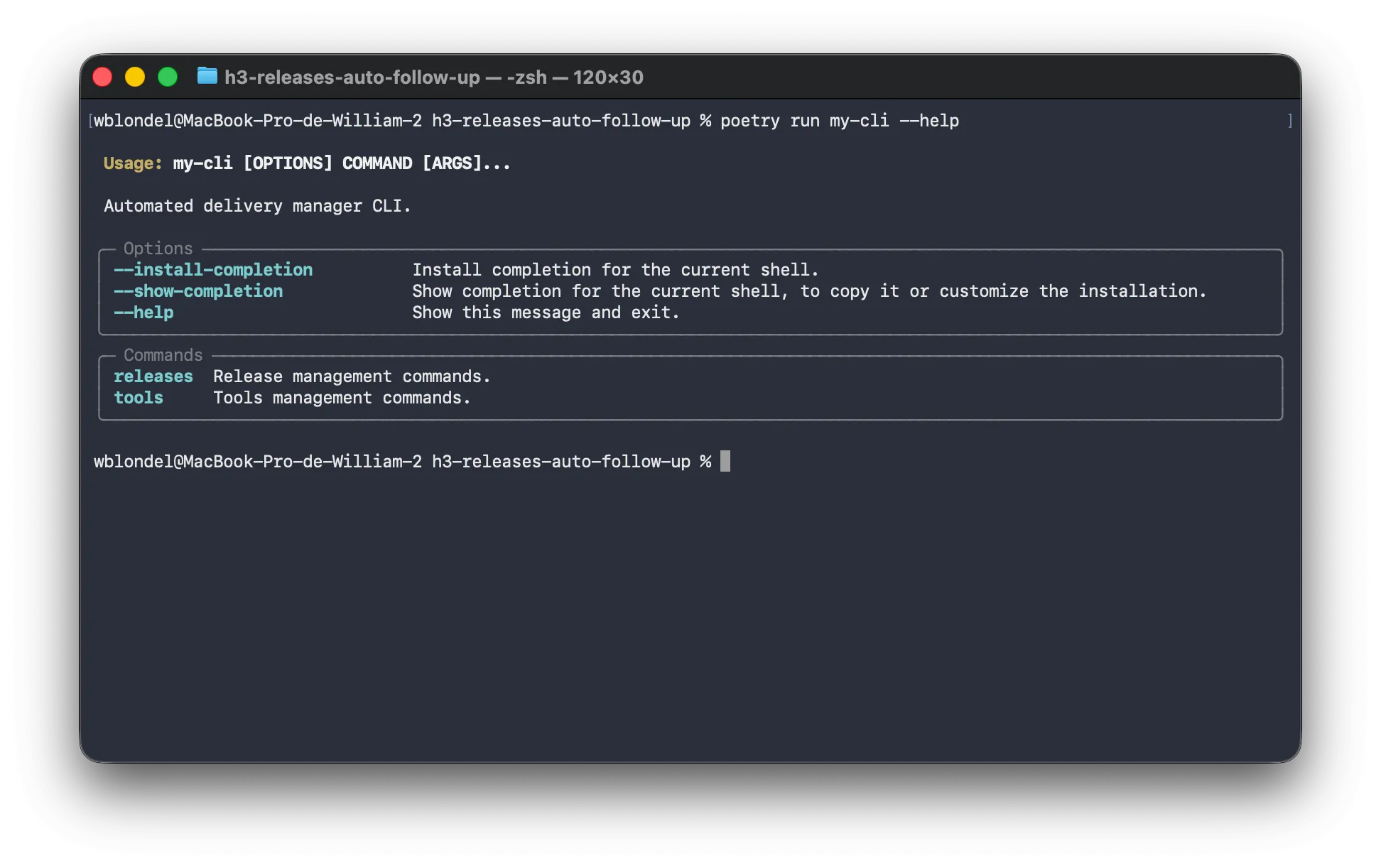
This is the command called from cron on the dashupgrade server. It can also be used by developers.
General --help | releases check help |
|---|---|
 |  |
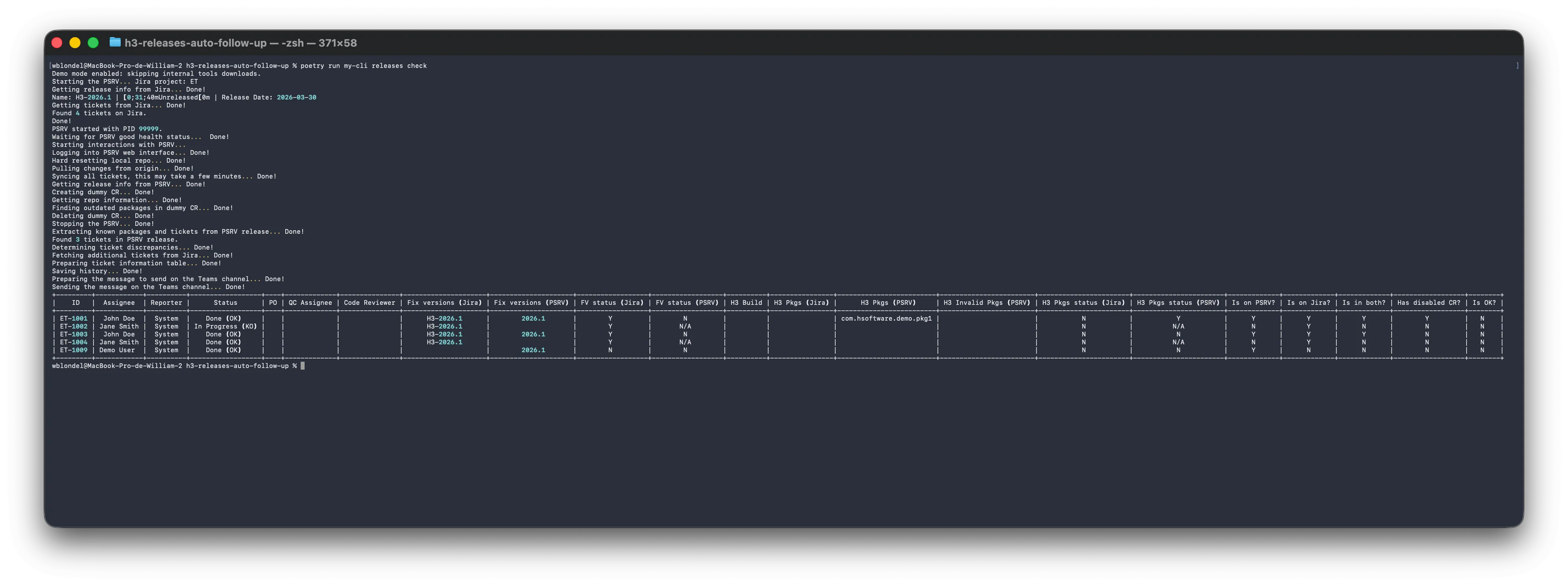
| Successful CLI execution (PrettyTable) | Tools management |
|---|---|
 | 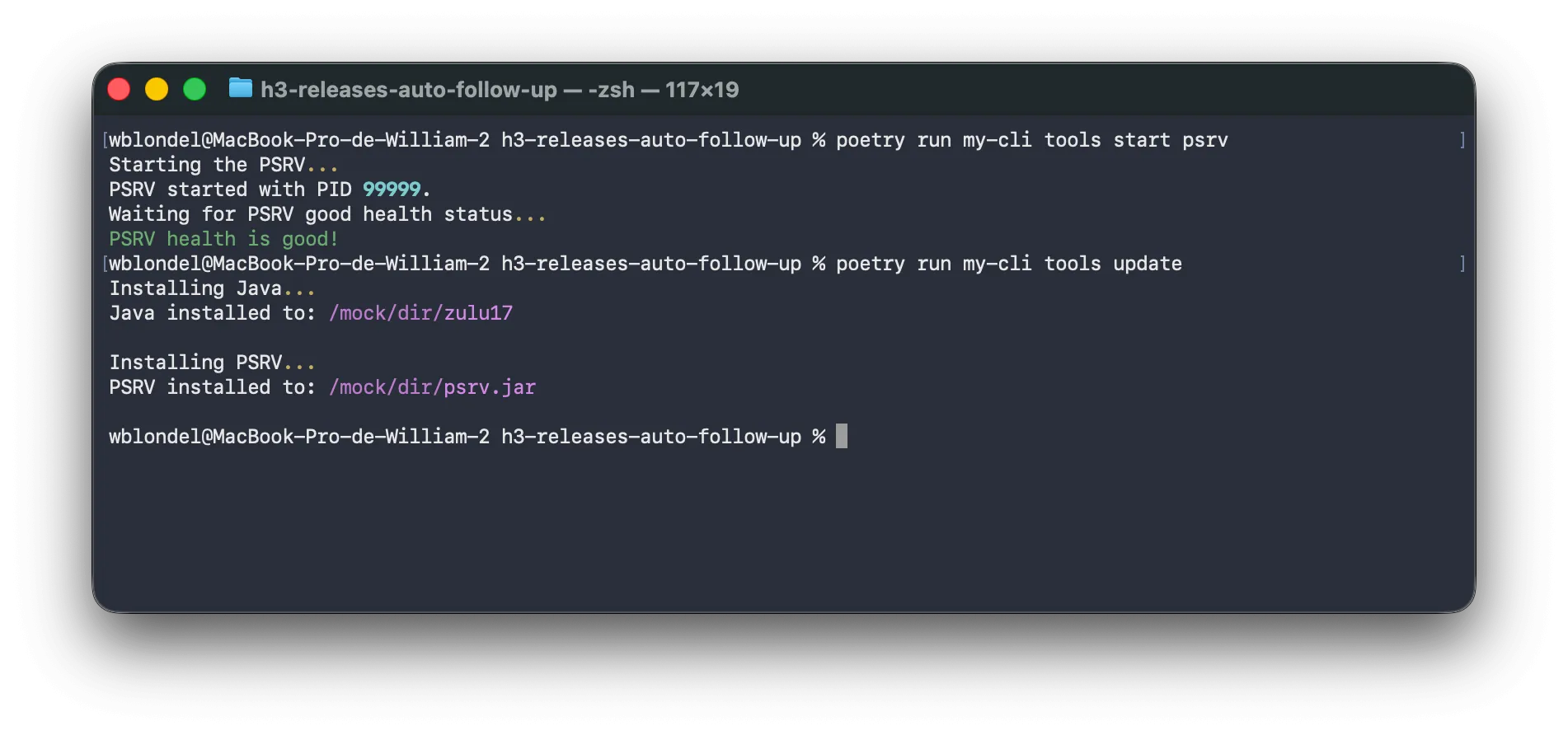 |
4.2 The comparison engine
The business core is implemented in ReleaseReportGenerator.generate_tickets_summary(). It takes as input a ReportContext containing the release’s Jira tickets, the release’s PSRV tickets, the disabled change requests and the list of known packages, and produces for each ticket a TicketSummary object containing all the fields needed for display: status, Jira and PSRV fix versions, packages, inconsistency flags, etc.
The algorithm:
- For each Jira ticket in the release:
- Check whether it is also present in the PSRV release.
- Check whether it is cited in a disabled change request.
- Retrieve the corresponding PSRV fix version.
- Compare the H3 packages declared at the ticket level with the PSRV release’s
packageRules. - Mark as invalid any package that does not appear in any of the rules.
- Compute, for each ticket, the booleans:
is_in_both,has_disabled_cr,is_ok(green if everything is good). - Build a
PrettyTablewith a custom format per column (Y/N/N/Afor booleans, display name for Jira Users, etc.).
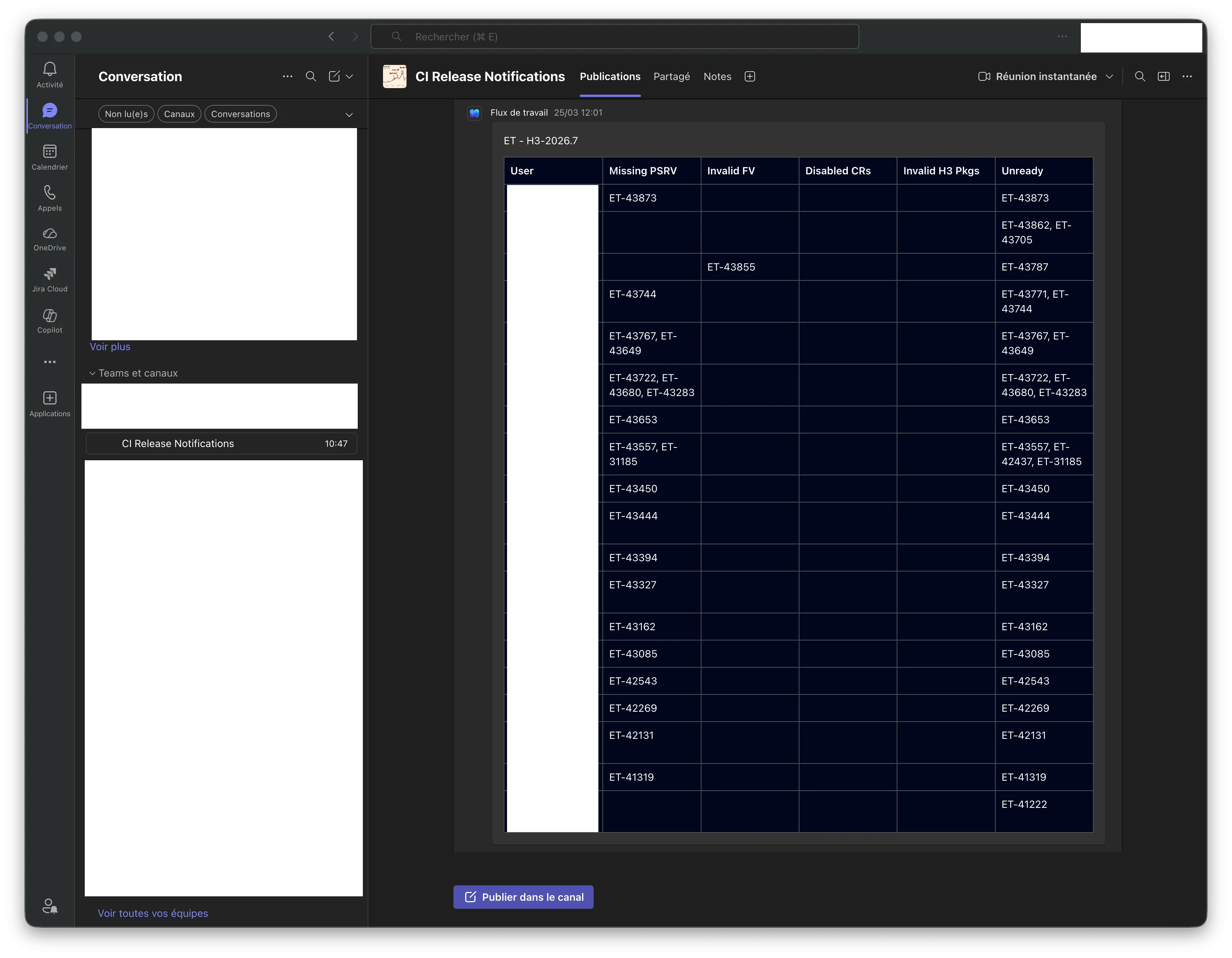
A second method, analyze_tickets_by_assignee(), groups the anomalies by assignee, which allows the Teams notification to mention the right people directly rather than making them scan a long list.
4.3 Interaction with the PSRV
The PsrvService service manages the complete lifecycle of the PSRV process:
- Download of the latest JAR from the internal artifactory.
- Startup of the Java process with all the necessary options.
- Wait for availability via an HTTP health check.
- Authentication on the REST API.
- Operation execution: repo reset, pull, ticket resync, retrieval of release and repo information, creation/deletion of a dummy change request (used to detect obsolete packages).
- Clean shutdown of the process by reading the PID file produced by the PSRV.
The systematic use of httpx.AsyncClient makes it possible to parallelize the fetching of the Jira context and the startup of the PSRV (which takes several tens of seconds), via asyncio.gather. This significantly reduces total execution time.
4.4 The Microsoft Teams notification (Adaptive Cards + Power Automate)
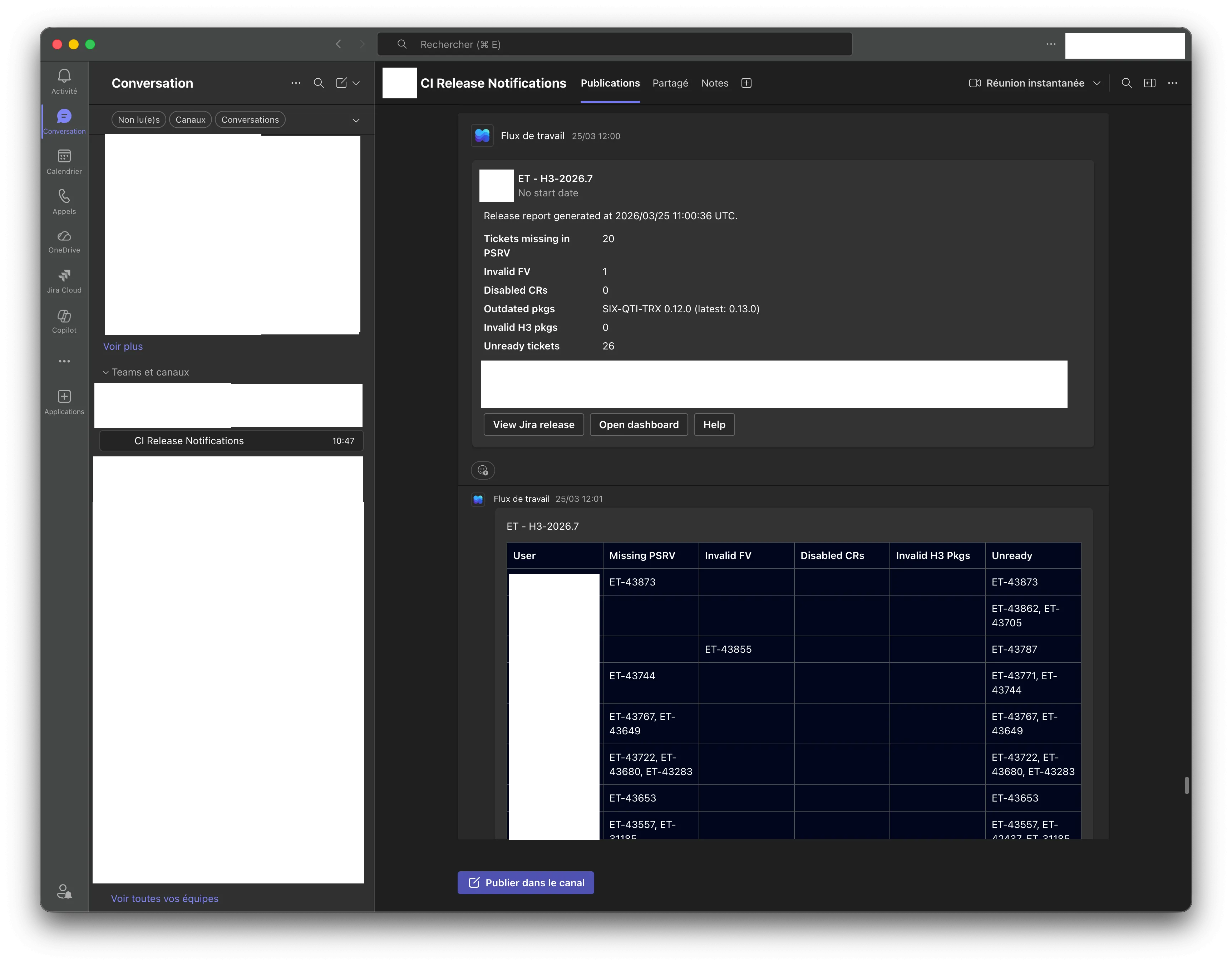
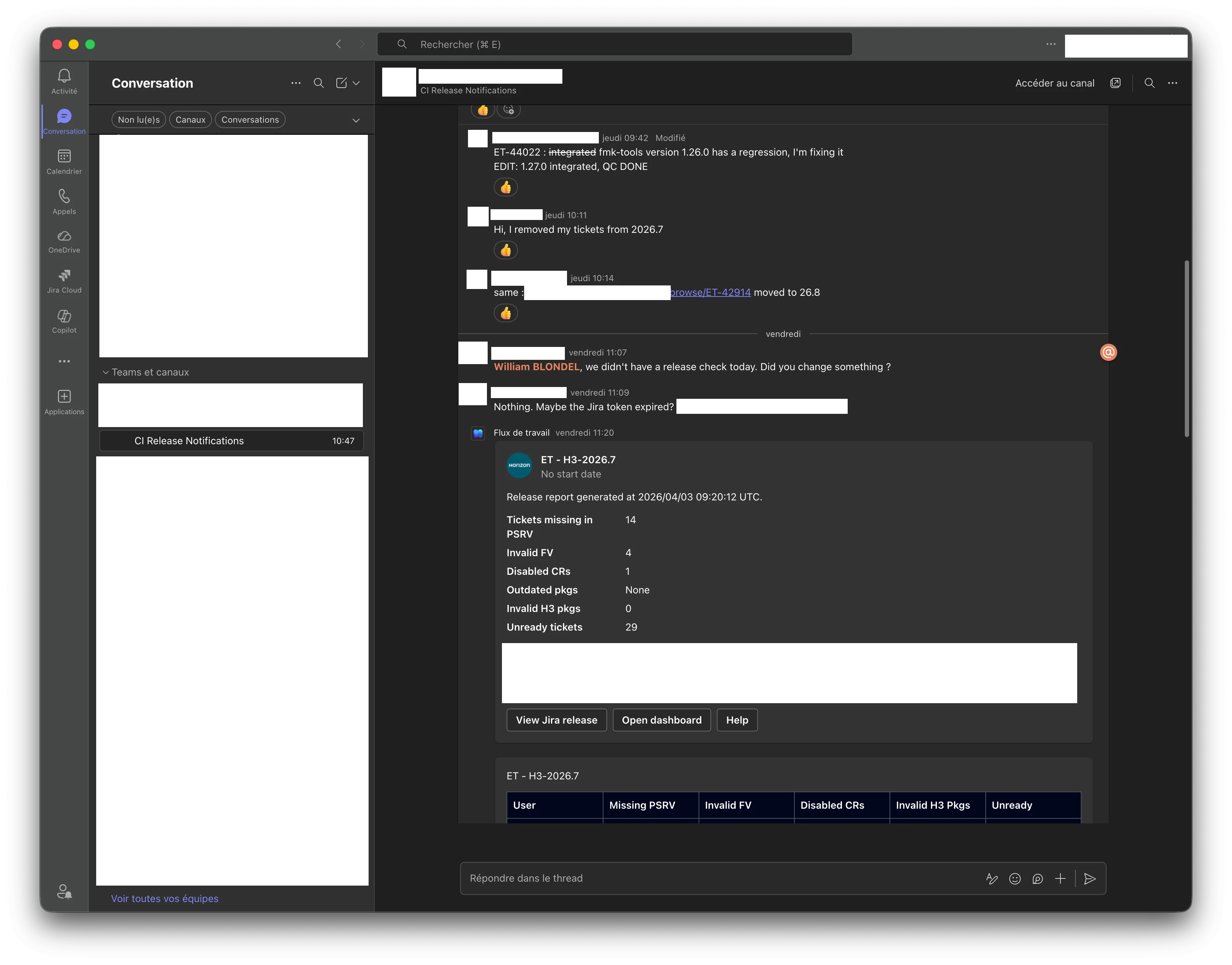
I modeled the entire Adaptive Card with Pydantic. TeamsService.create_message() produces a TeamsMessage made up of three attached cards:
- Main card: avatar + release name + start date + description +
FactSet(counters:Tickets missing in PSRV,Invalid FV,Disabled CRs,Outdated pkgs,Invalid H3 pkgs,Unready tickets) + mentioned-people block + action buttons. - Table card: an
Adaptive CardTable listing, per assignee, the tickets affected by each type of anomaly. - “Reply” card: if a Teams
parentMessageIdwas passed as a parameter, the new notification is posted as a reply to an existing message, which makes it possible to thread the check history of a single release.
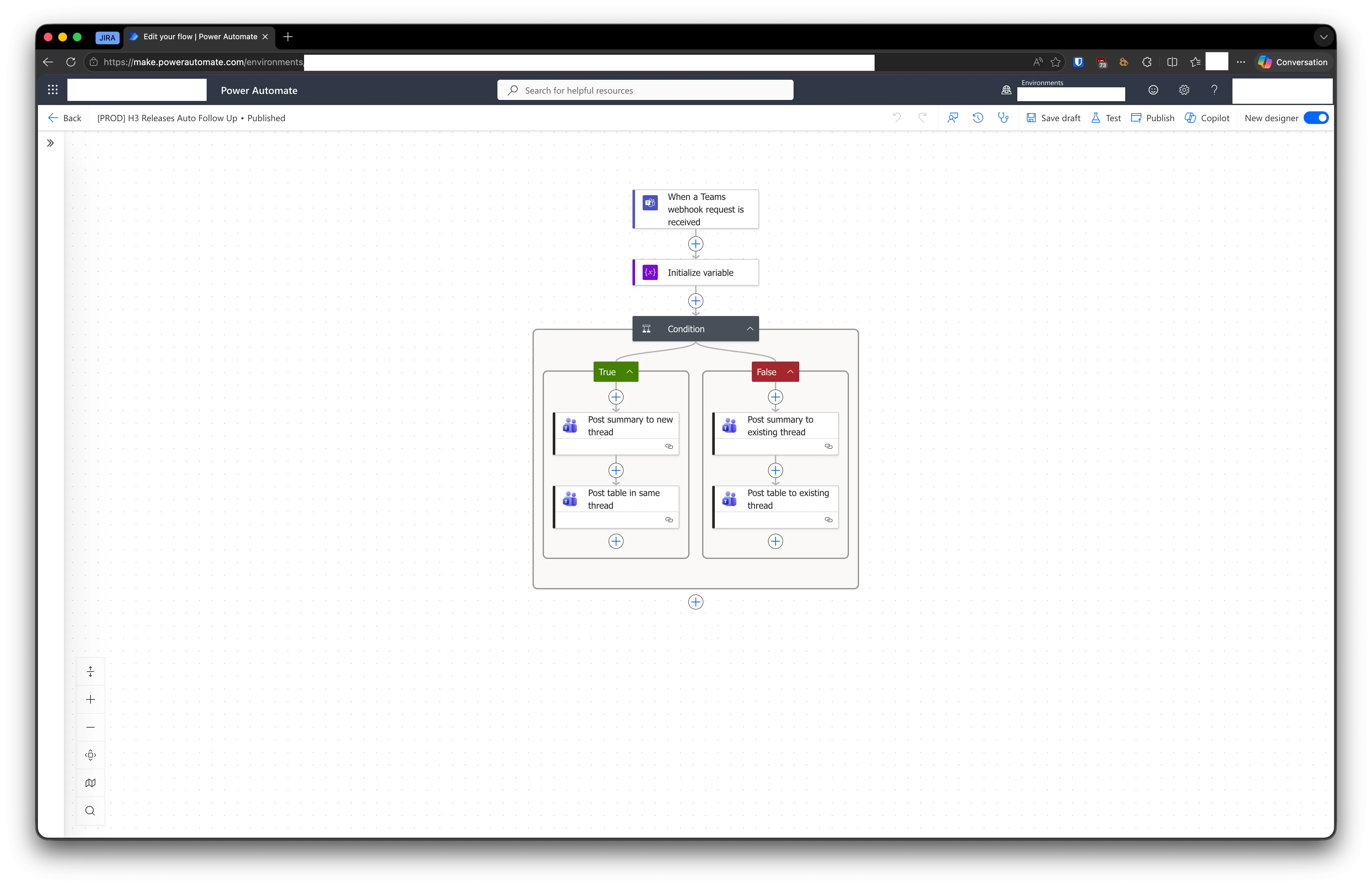
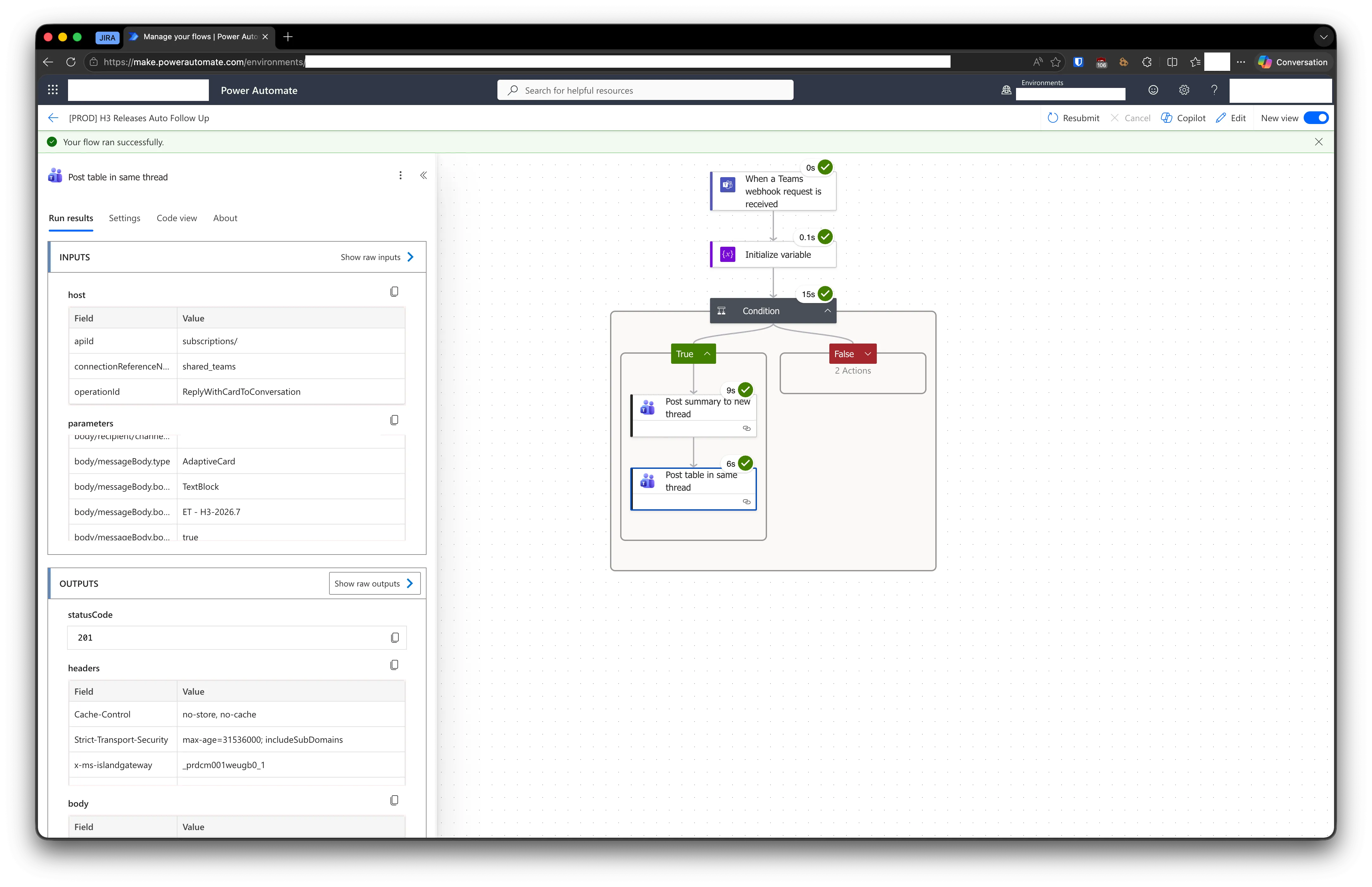
The payload is then POSTed to a Power Automate workflow whose URL and signature are configured via environment variables (TEAMS_WORKFLOW_HOST, TEAMS_WORKFLOW_ID, TEAMS_WORKFLOW_SIGNATURE). The Power Automate flow receives the payload and posts it to the Teams channel.
The smart mentions system
For an @Name mention to be clickable on Teams, you need to know the person’s UPN (User Principal Name), not just their name. However, Jira only provides the email address. Resolution therefore happens in several steps:
- For each assignee affected by an anomaly, retrieve their
emailAddressfrom Jira. - Query Active Directory via LDAP (
LdapService.get_users_by_email()) to obtain theuserPrincipalName. - If the UPN is found, create an Adaptive Card
MentionEntity. - If the assignee is on leave (information retrieved via the Lucca API with the internal
luccalibrary), switch the mention to the QC assignee and code reviewer (retrieved via the Jira custom fieldsJiraCustomField.QC_ASSIGNEEandJiraCustomField.CODE_REVIEWER).
This logic avoids spamming someone who is absent and helps move the ticket forward with their backup.
| Main Adaptive Card | Per-assignee table |
|---|---|
 |  |
| Threaded reply |
|---|
 |
| Power Automate flow | Detail of a successful flow execution |
|---|---|
 |  |
4.5 Web interface
The NiceGUI web application offers four tabs:
4.5.1 Release Check
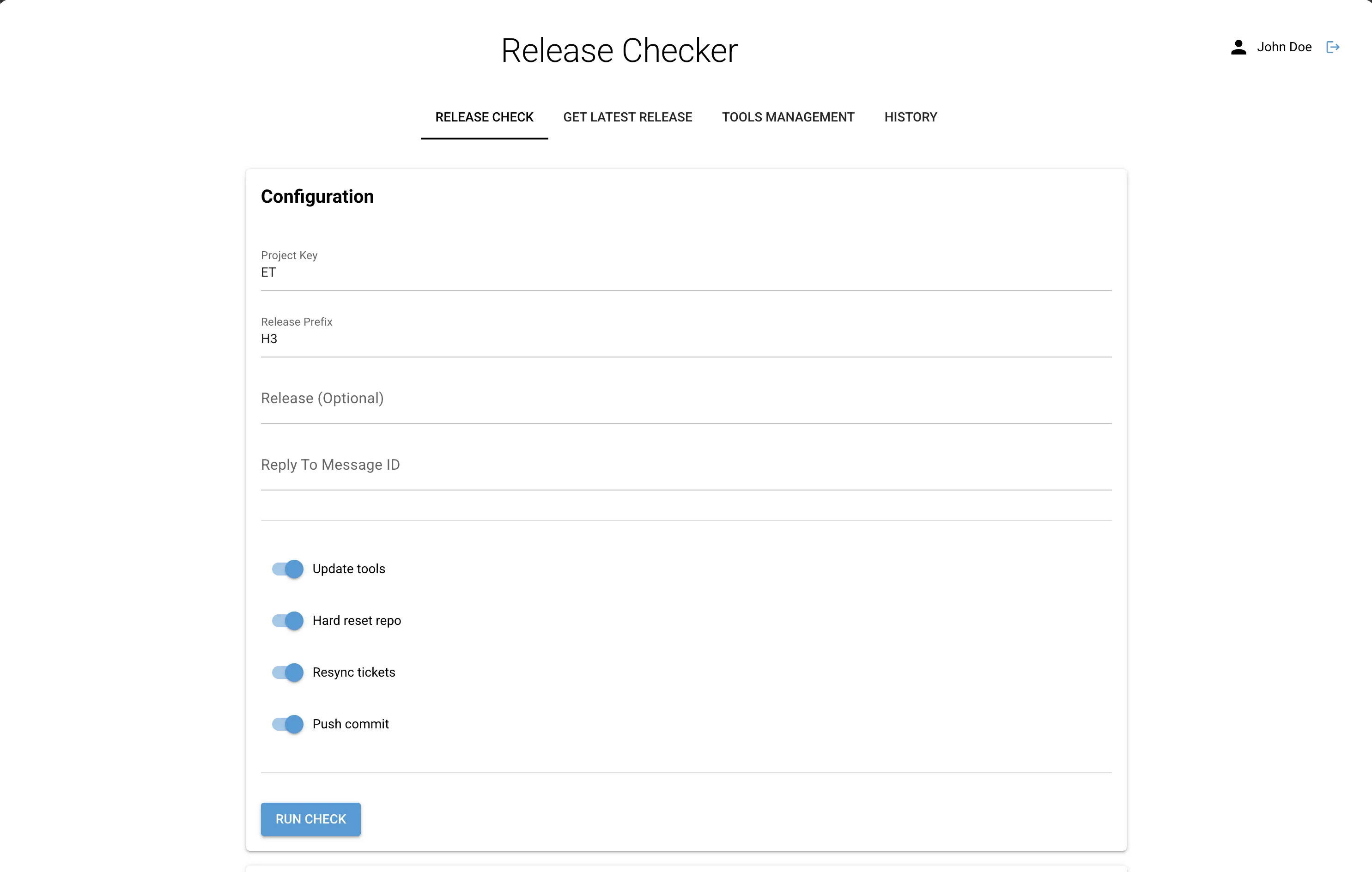
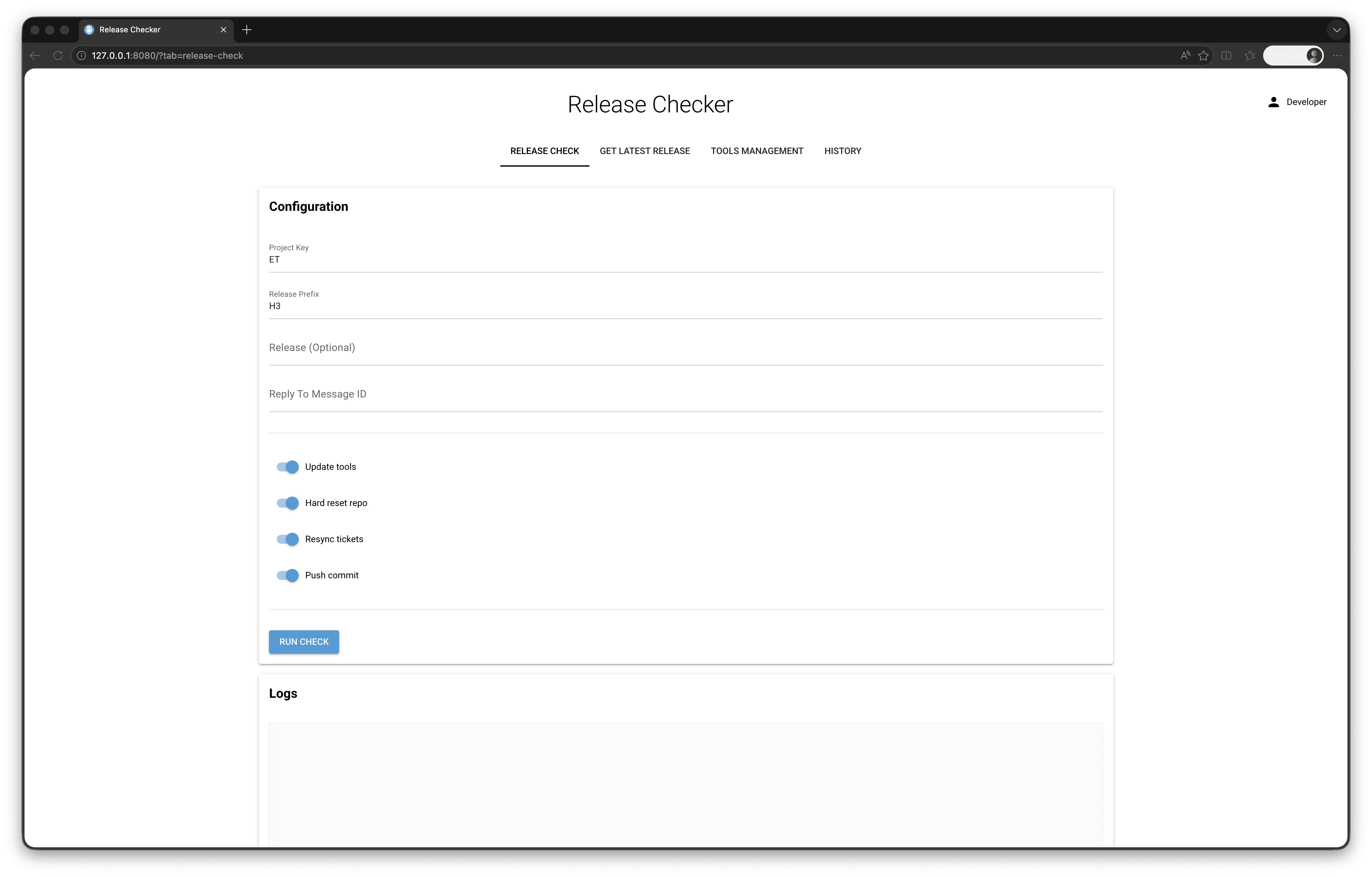
- Configuration form (project key, prefix, optional release, Reply to Message ID).
- Toggle buttons to enable/disable each step.
- Automatic detection: if you paste a Teams URL into the Reply To Message ID field, the application automatically extracts the
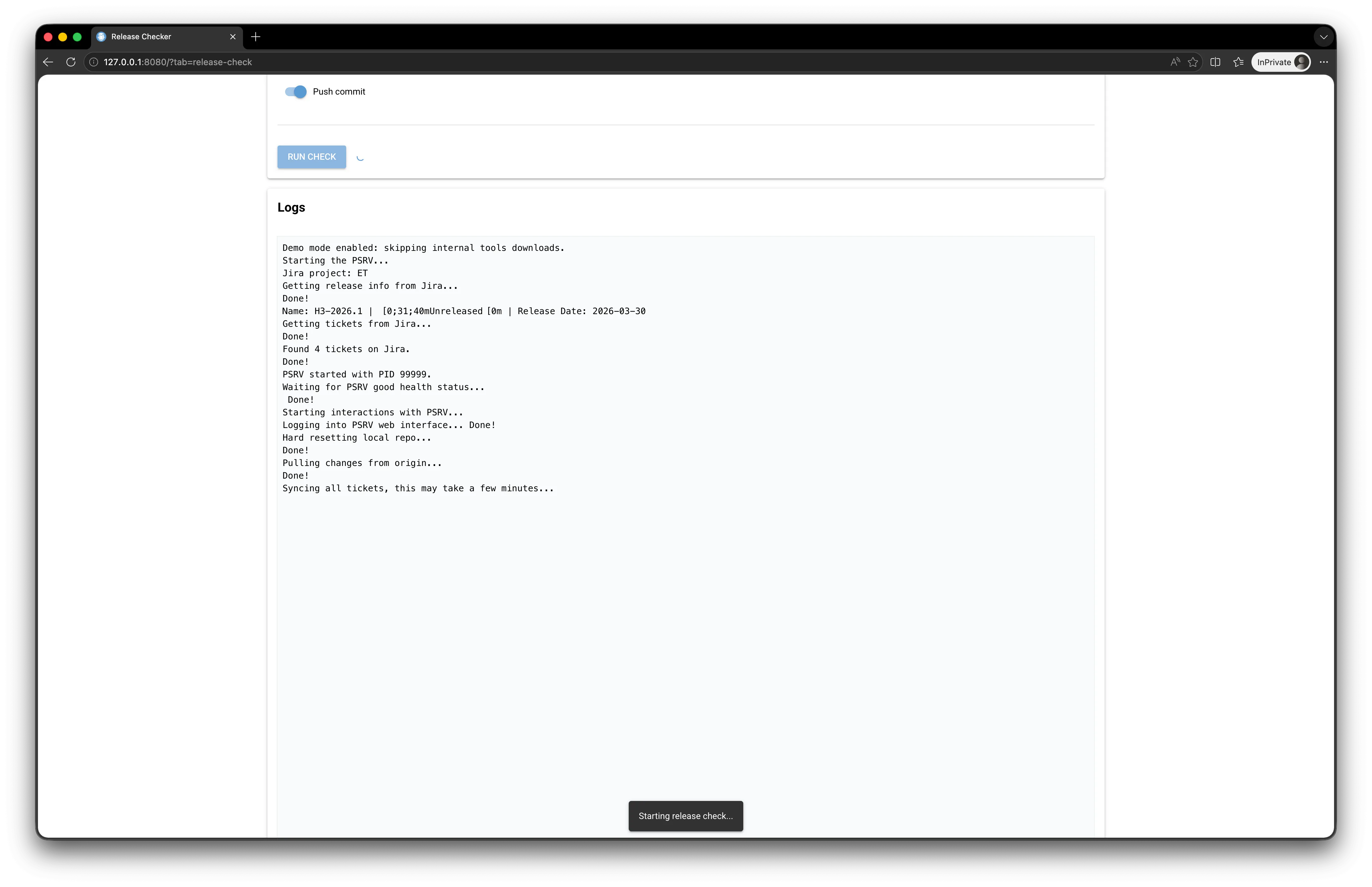
parentMessageIdfrom it. - Live log: the
ReleaseCheckeroutput is streamed at the bottom of the form.
| Empty form (initial state) | Run in progress (live logs) |
|---|---|
 |  |
| Run completed successfully |
|---|
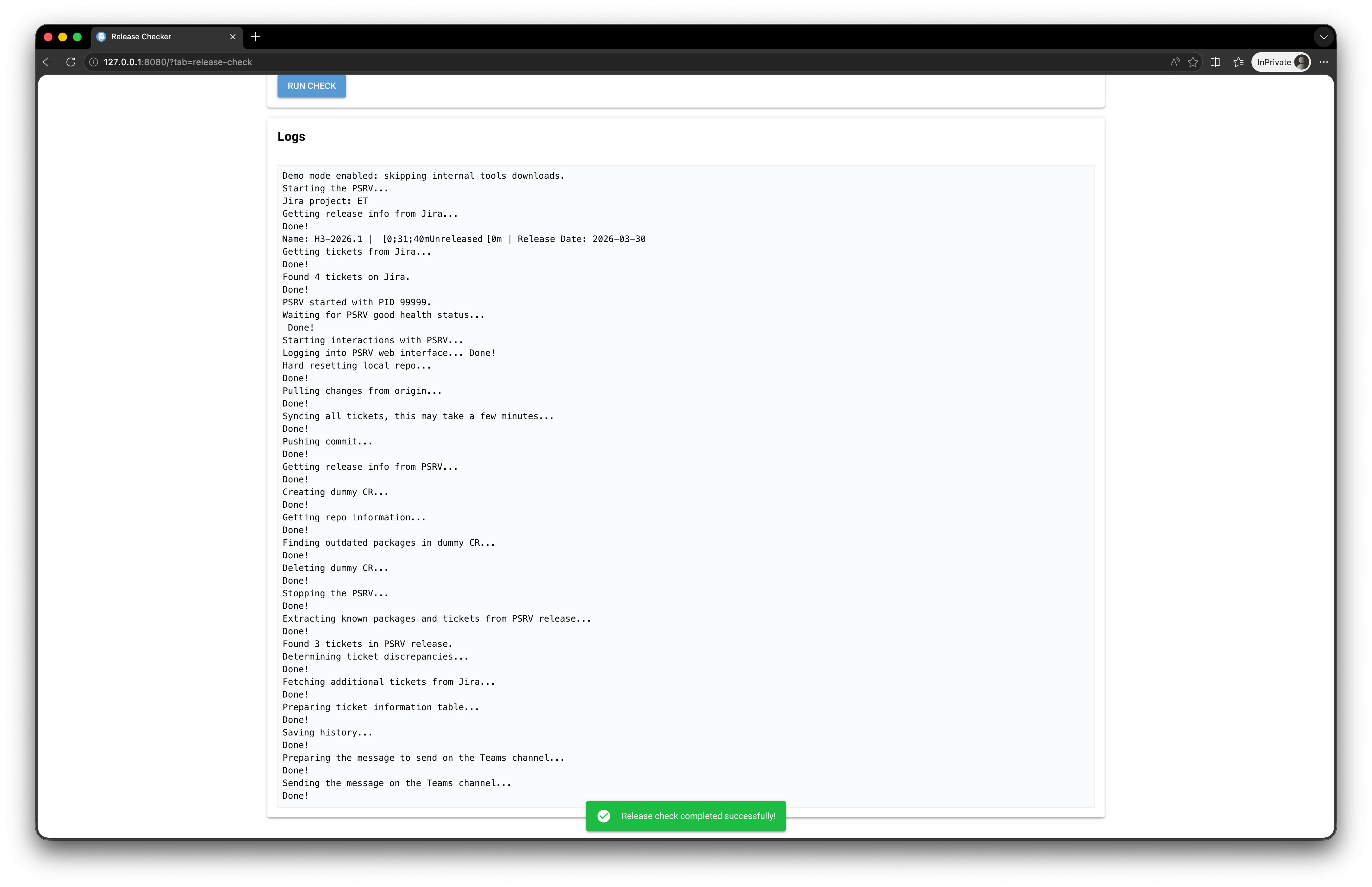 |
4.5.2 Get Latest Release
- Small utility that queries Jira to display the next release (useful for the Release Manager to check quickly).
| Display of the next release |
|---|
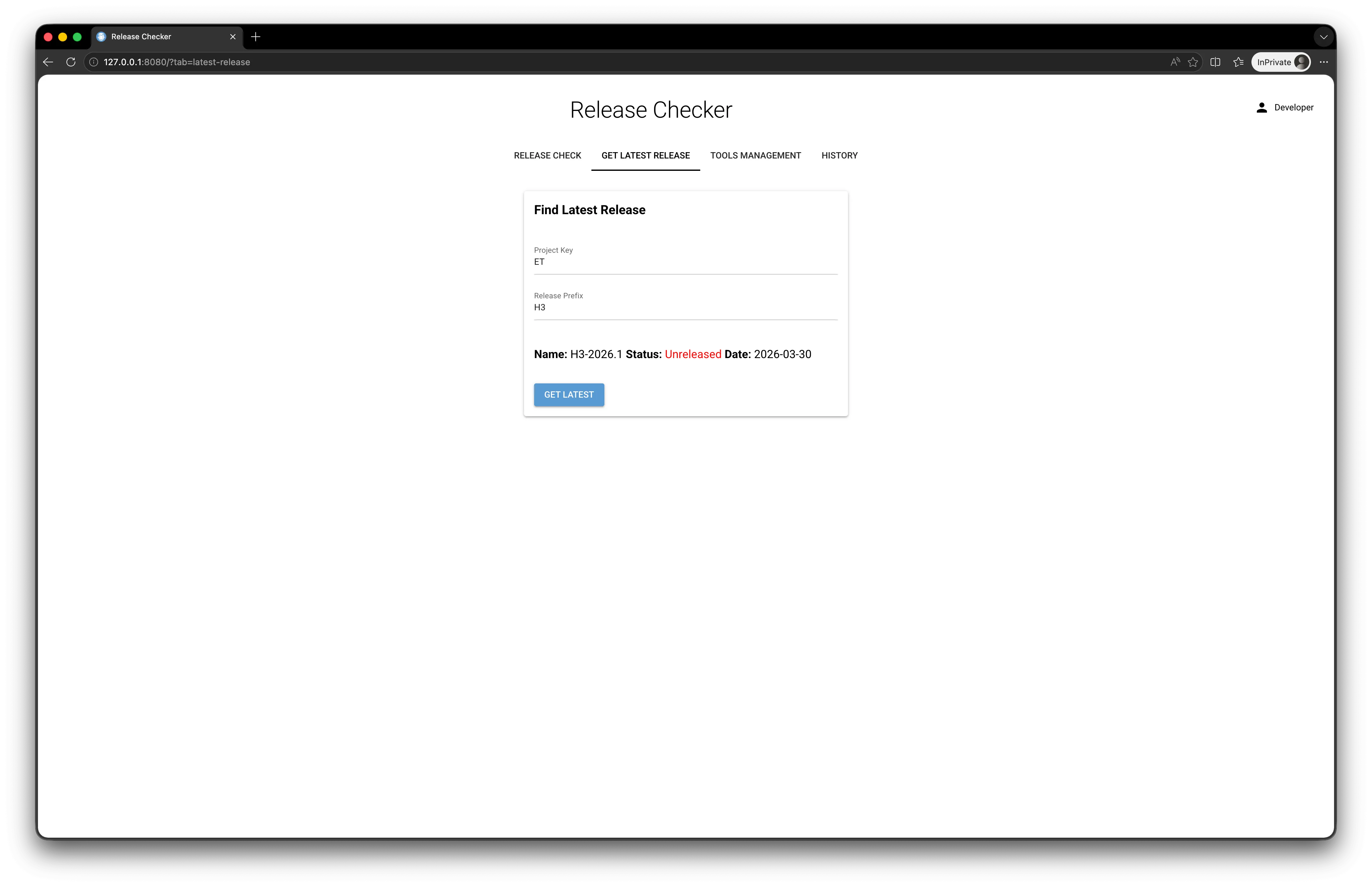 |
4.5.3 Tools Management
- Buttons to start / stop the PSRV manually (useful for debugging) and to trigger Java and PSRV updates.
| Tools Management tab |
|---|
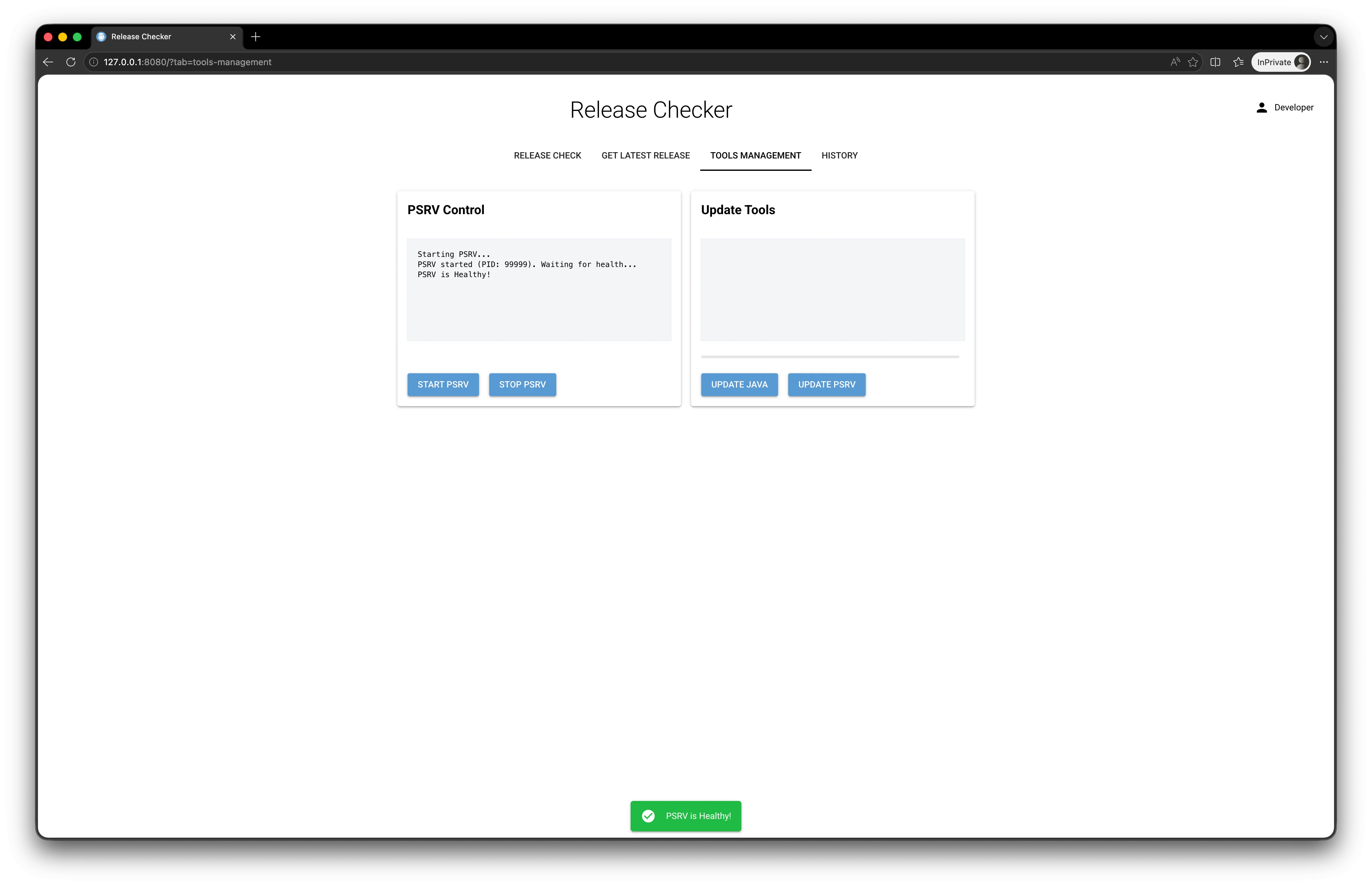 |
4.5.4 History
- Paginated list of executions with:
- filters by status and by release;
- colored badges (green / orange / red) depending on the status;
- View report and Delete buttons;
- Clear All button (read-write only);
- automatic refresh every 2 seconds (only when on the list, not in the detail view).
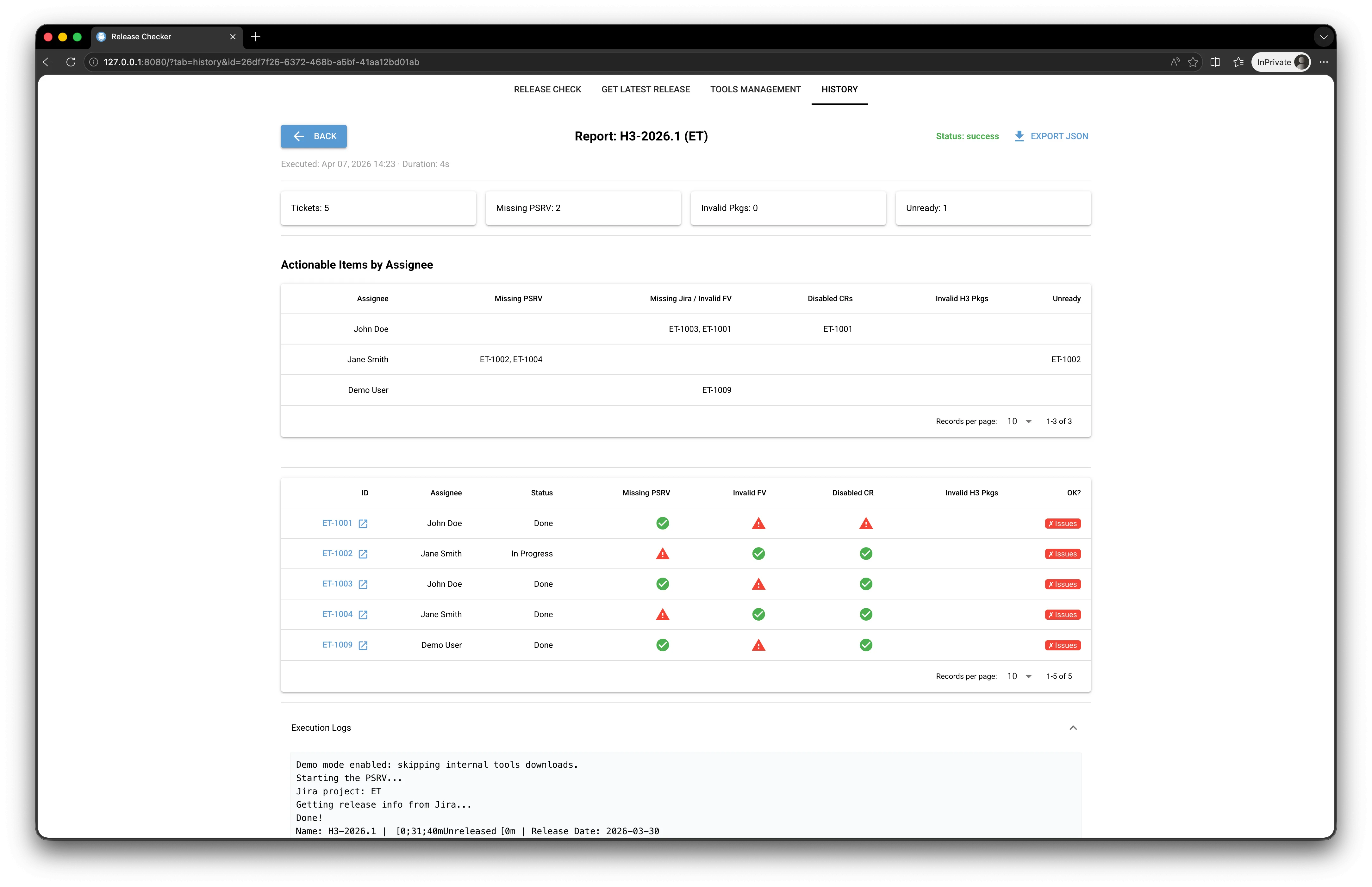
- Detailed view of an execution:
- header (release, project, status, duration, date);
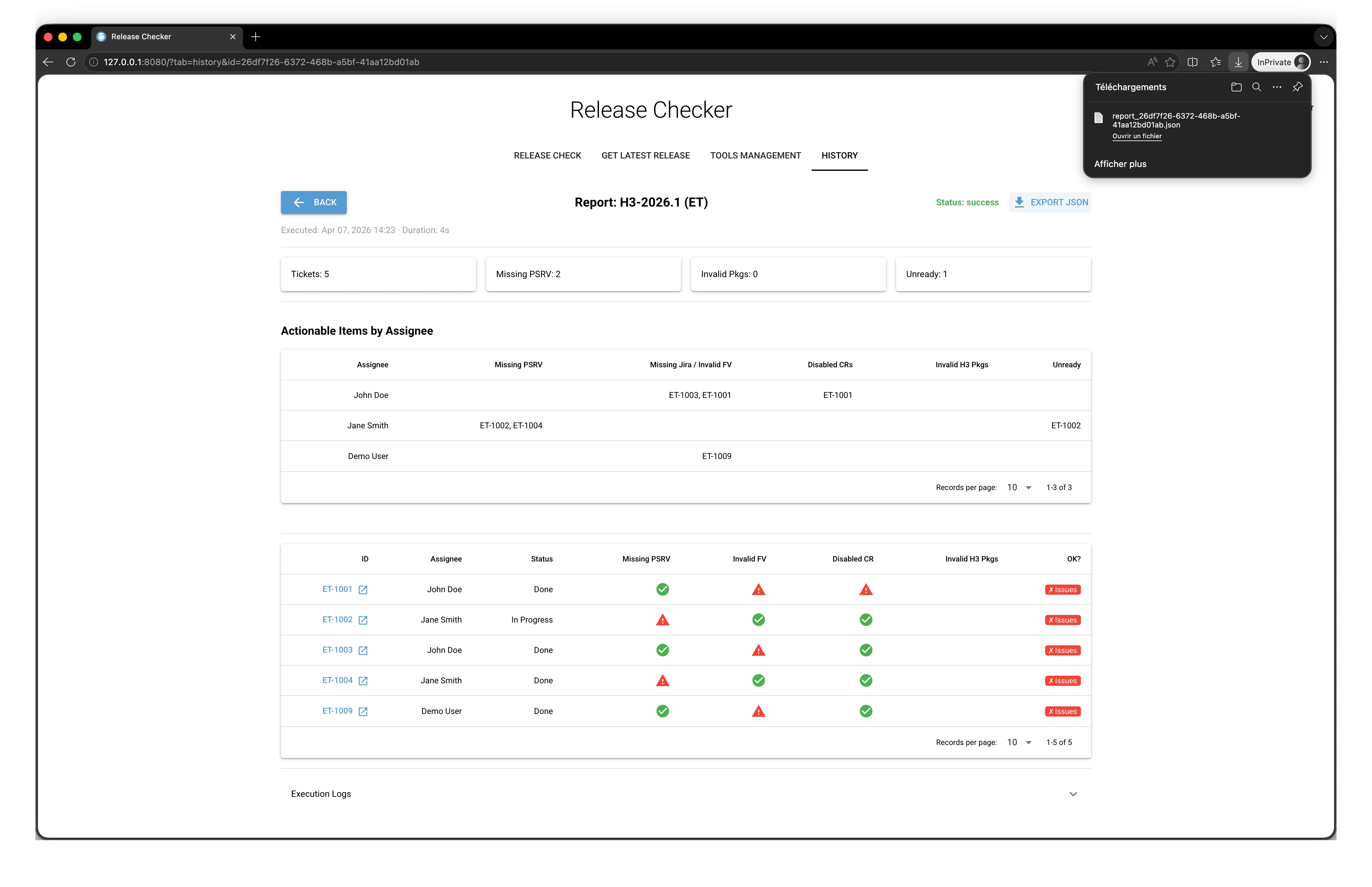
- Export JSON button to download the report;
- 4 statistics cards (total tickets, missing PSRV, invalid pkgs, unready);
- “Actionable Items by Assignee” table;
- ticket-by-ticket table with clickable Jira links and visual icons (✓ green / ⚠ red);
- collapsible execution log panel.
- If the status is
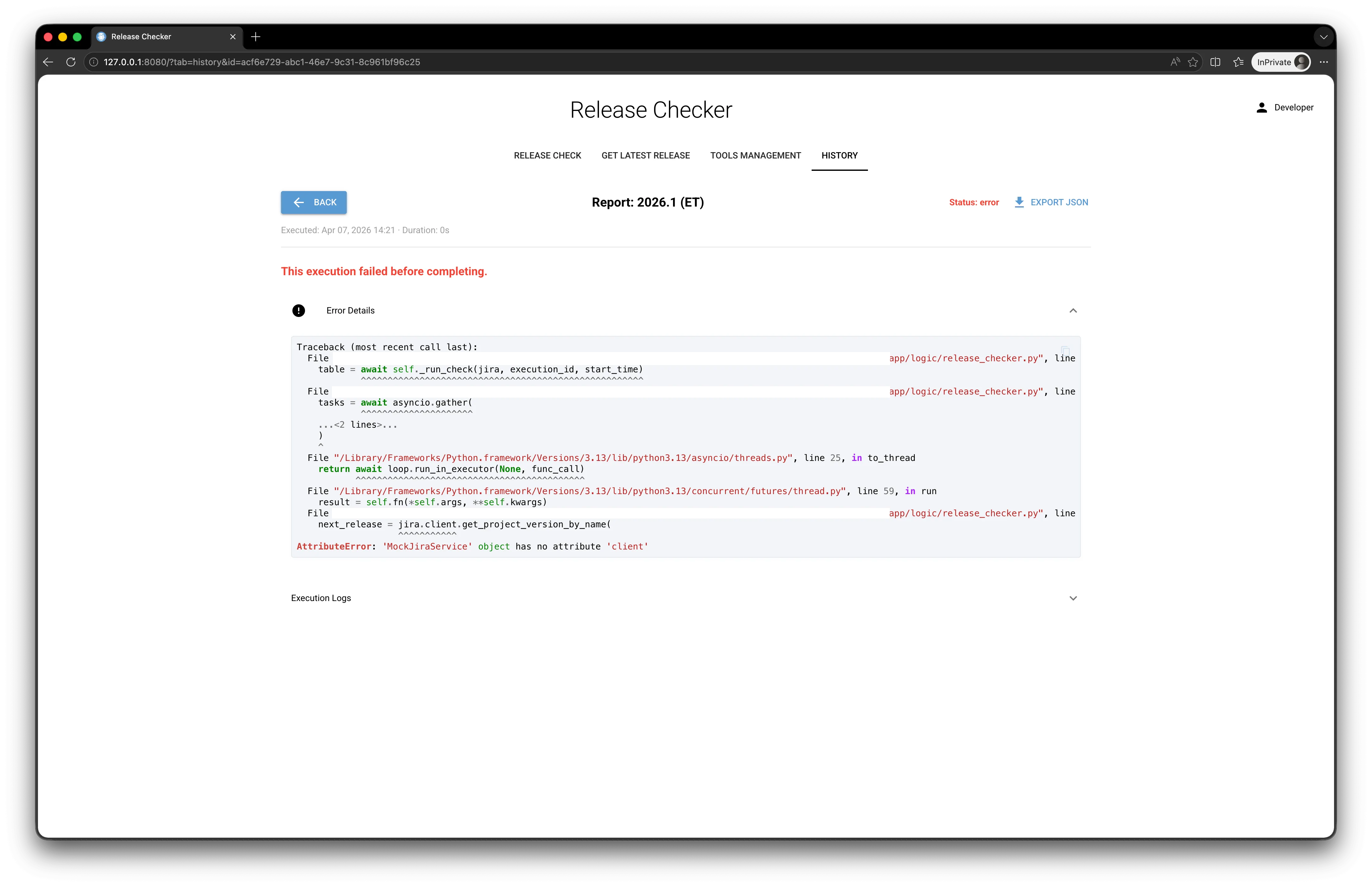
error, the view directly shows the exception trace and the logs (short-circuiting the rest). - If the status is
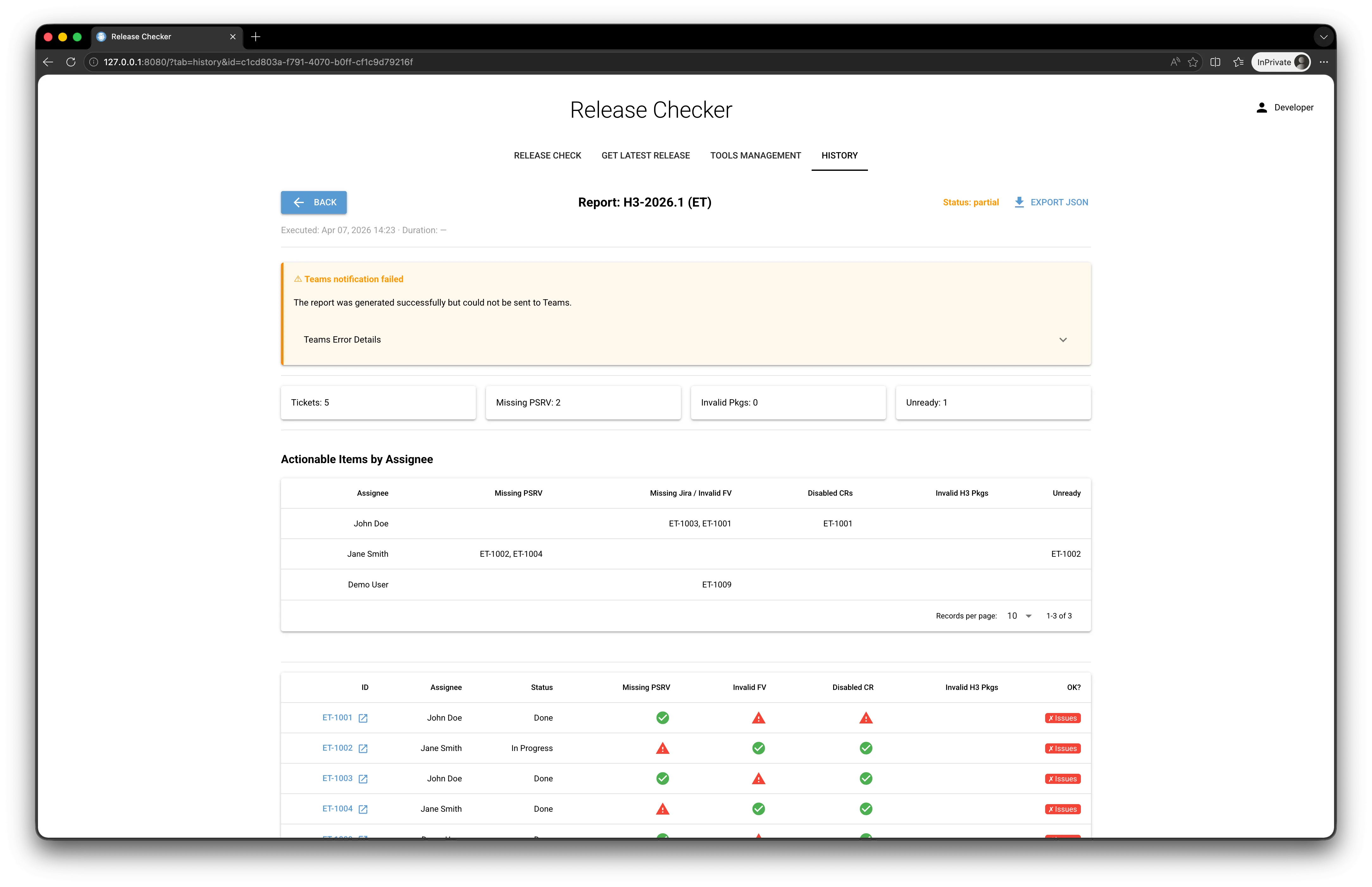
partial, an orange banner explains that the report was indeed generated but the Teams notification failed, and provides access to the error details.
| Paginated list (mixed statuses, filters) | Detailed view — success status |
|---|---|
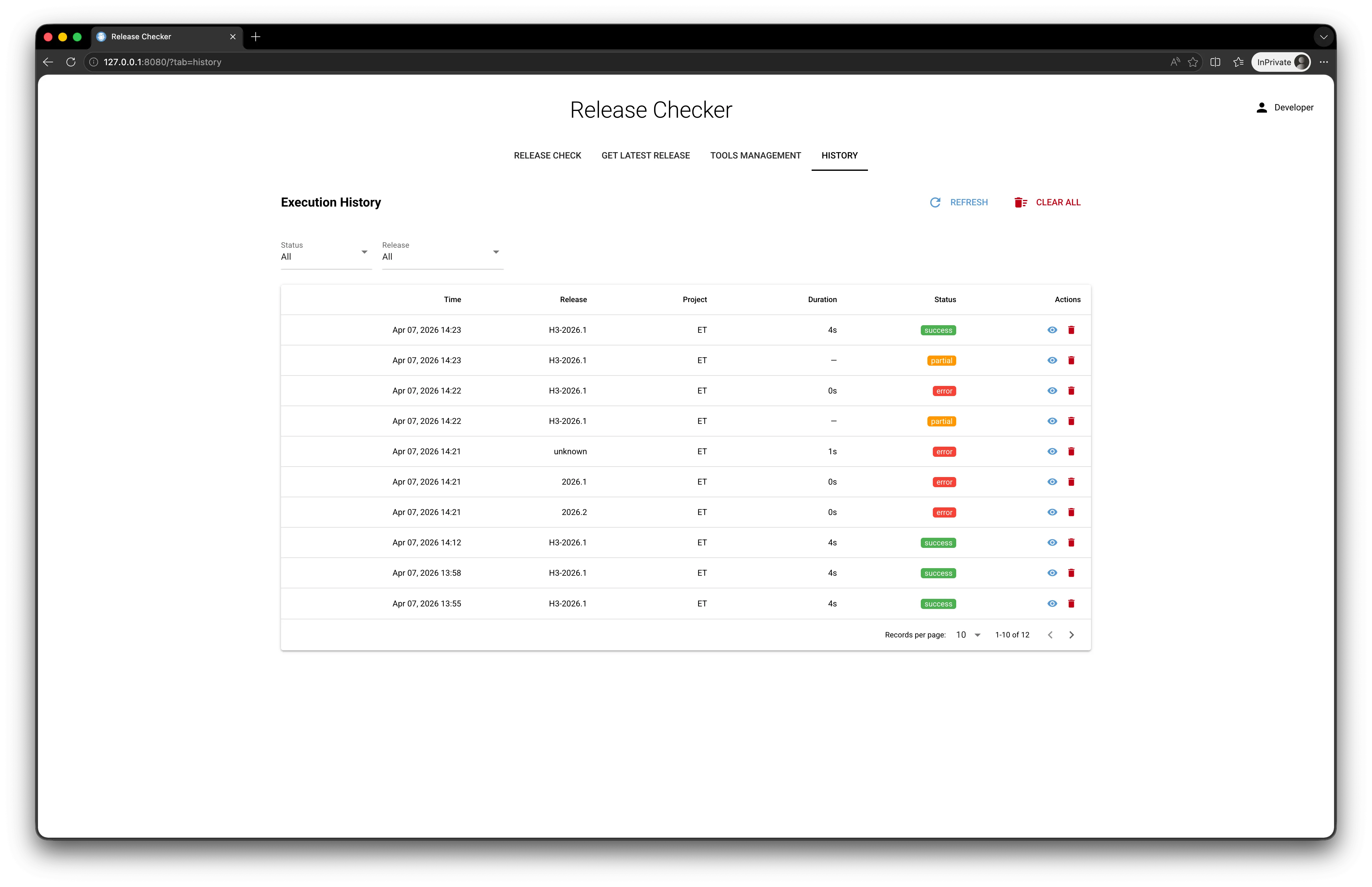 |  |
Detailed view — partial status | Detailed view — error status |
|---|---|
 |  |
| Export JSON button (download the report) |
|---|
 |
4.6 Deployment
Multi-stage Docker image
FROM python:3.13.11-slim AS python-base
...
FROM python-base AS builder-base
RUN apt-get install ... build-essential curl ssh
RUN curl -sSL https://install.python-poetry.org | python3 -
COPY poetry.lock pyproject.toml ./
RUN poetry install --no-root --without=dev
...
FROM python-base AS development
...
RUN poetry install --no-root --with=dev
USER appuser
ENTRYPOINT ["python", "-m", "app.web.main"]

FROM python-base AS production
COPY --from=builder-base $PYSETUP_PATH $PYSETUP_PATH
COPY ./app /app/app
USER appuser
ENTRYPOINT ["python", "-m", "app.web.main"]
The production image contains neither the Poetry source code, nor the development dependencies, nor the build tools: it is minimal and runs as a non-root user (appuser).
Docker Compose profiles
The compose.yaml provides three profiles:
dev: local build of the development image, hot-reload via mounted volume.prod: local build of the production image.registry: directly uses the production image published to the internal registry.
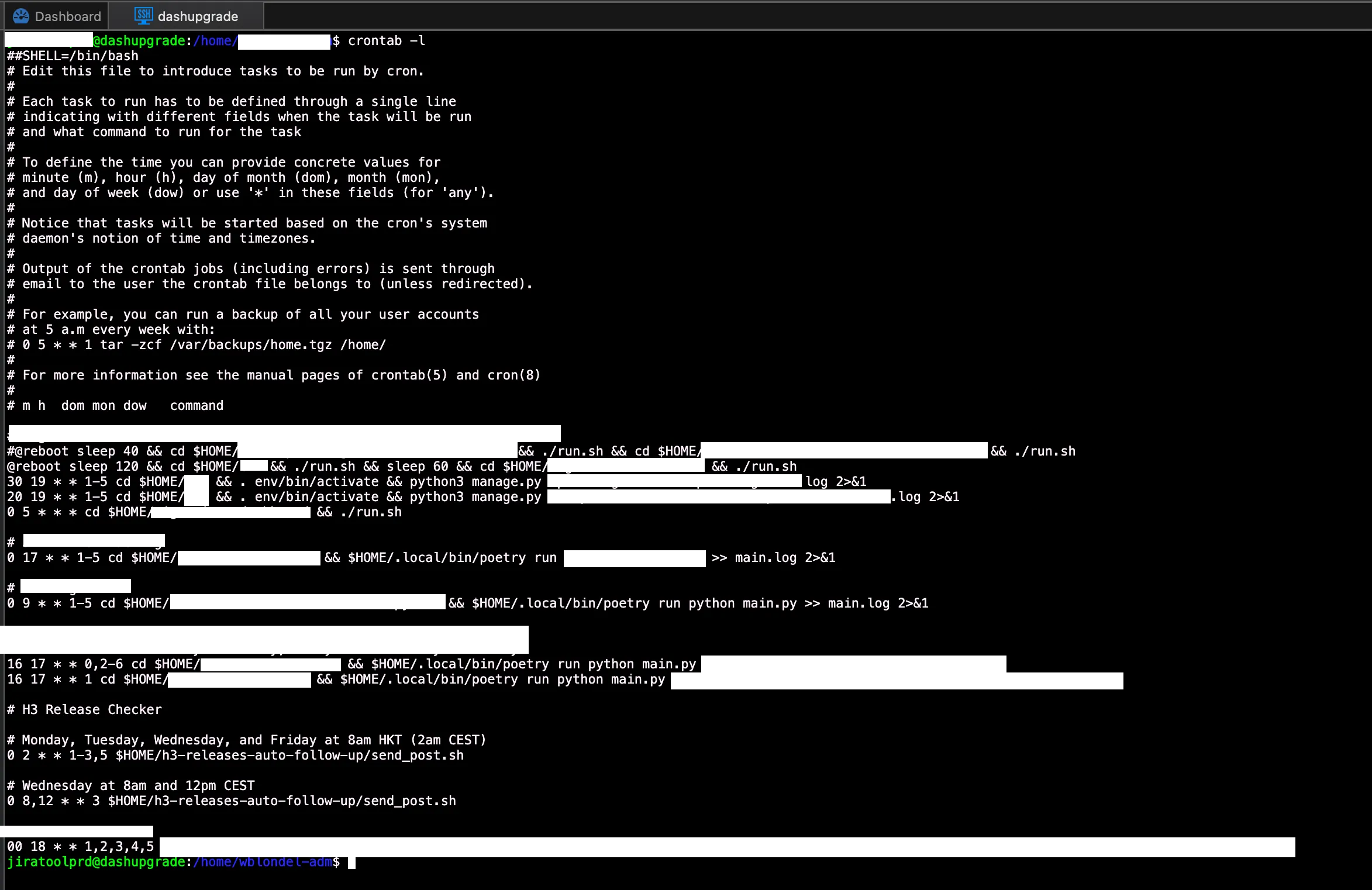
Cron on dashupgrade
# Monday to Wednesday (and Friday) at 8am HKT (2am CEST)
0 2 * * 1-3,5 $HOME/h3-releases-auto-follow-up/send_post.sh

# Wednesday at 8am and 12pm CEST
0 8,12 * * 3 $HOME/h3-releases-auto-follow-up/send_post.sh
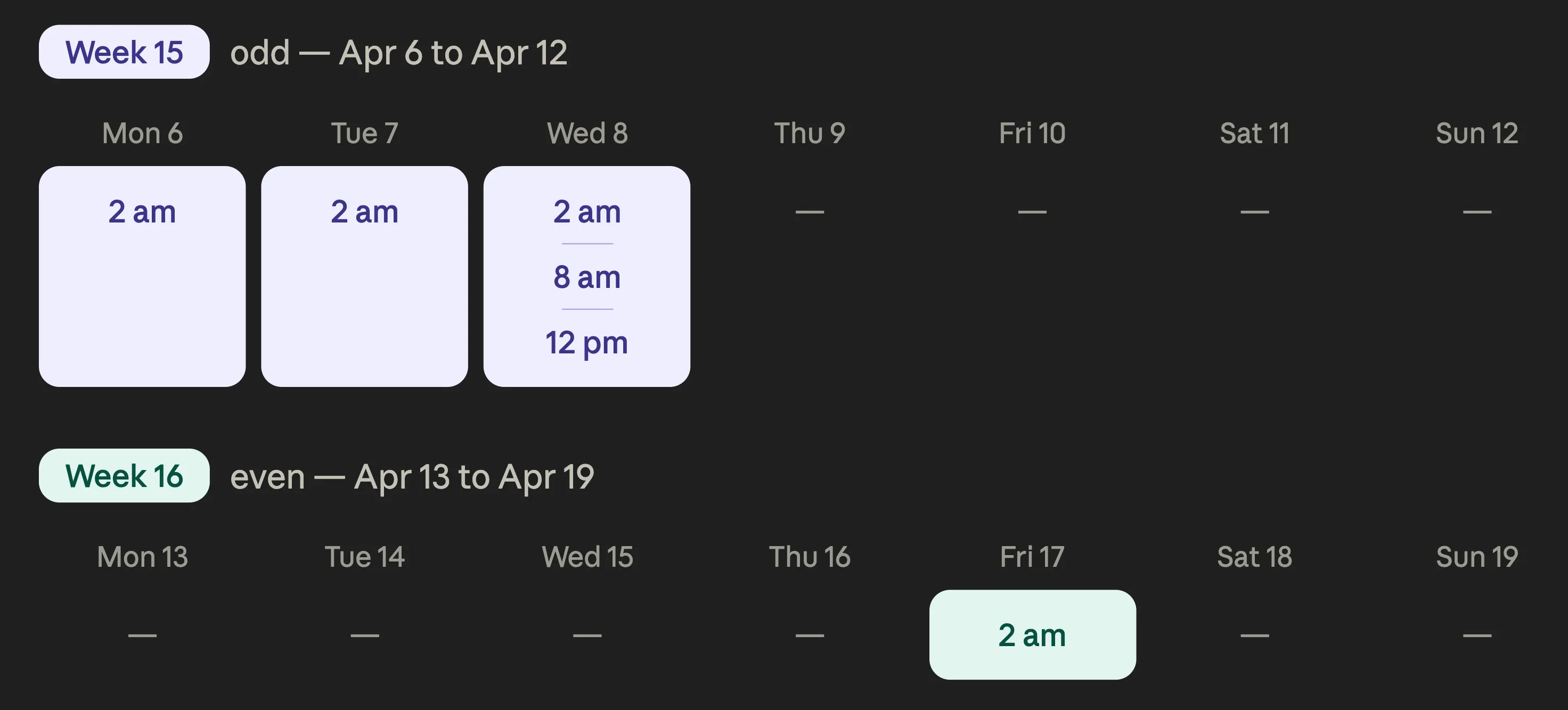
The send_post.sh script applies a week-parity logic:
- Friday: only runs on even weeks.
- Monday to Thursday: only runs on odd weeks.
This matches the two-week sprint cycle: progress is checked at the start and end of the sprint, without disturbing the teams outside the useful windows.
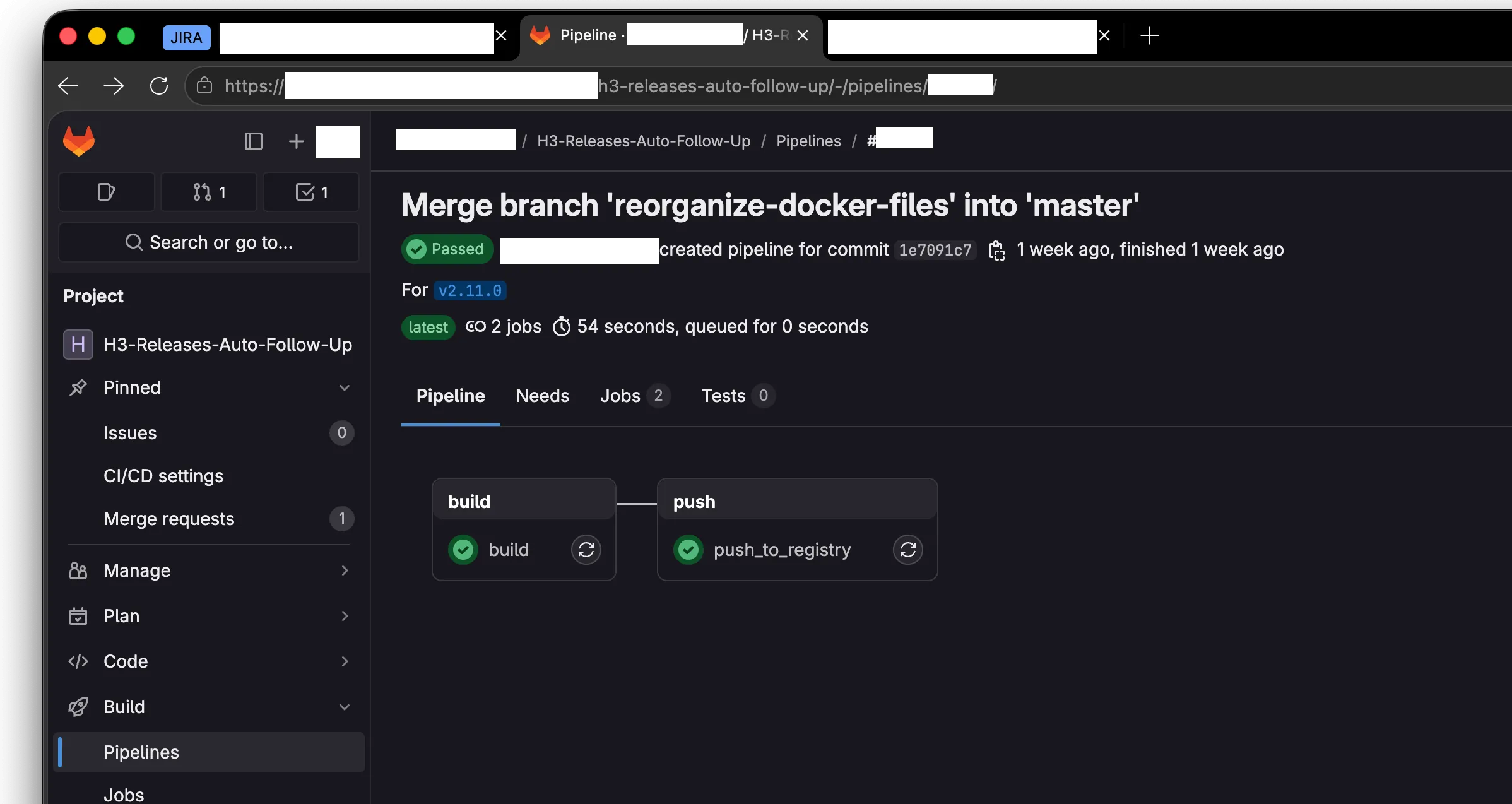
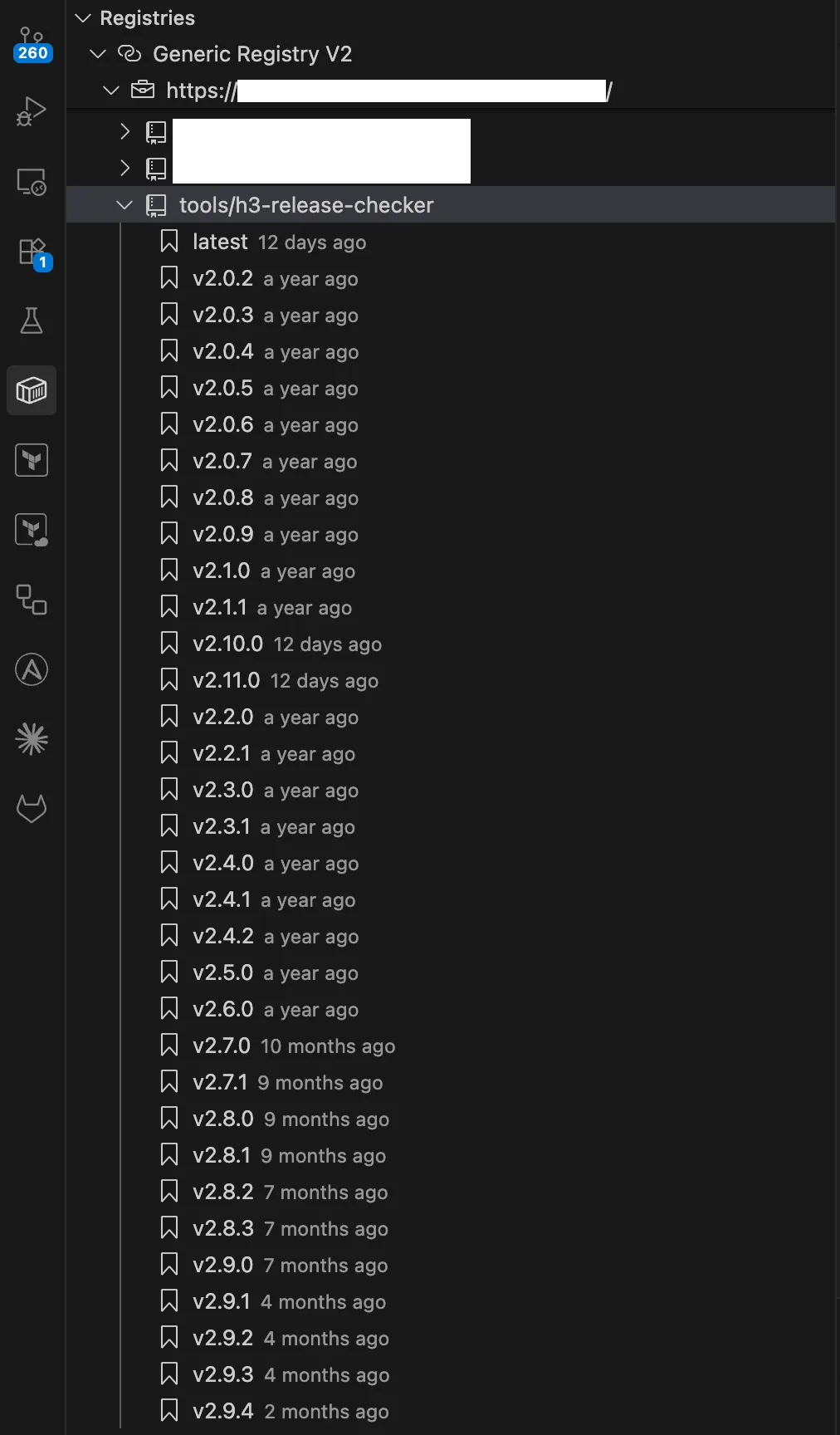
| GitLab CI pipeline (latest successful run) | Docker image in the internal registry |
|---|---|
 |  |
Docker container list on dashupgrade | Scheduled tasks on dashupgrade |
|---|---|
 |  |
4.7 Demo mode and exam build
To be able to present the tool during the E6 exam, without access to the corporate network, I set up:
- A demo mode that can be enabled via an environment variable, replacing
JiraService,PsrvService,LdapServiceandLuccaCalendarwith their mock equivalents. Demo mode generates a plausible report (with fake tickets and a few representative anomalies) and keeps the user experience intact. - A local copy of the private
luccapackage invendor/lucca/. - A
Dockerfile.exam, apyproject.exam.tomland acompose.exam.yamlthat override the standard configuration to point to the vendoredlucca. This build does not require any SSH access to the internal GitLab. - Everything is documented in
README.exam.md.
5. Tests and code quality
5.1 Test strategy
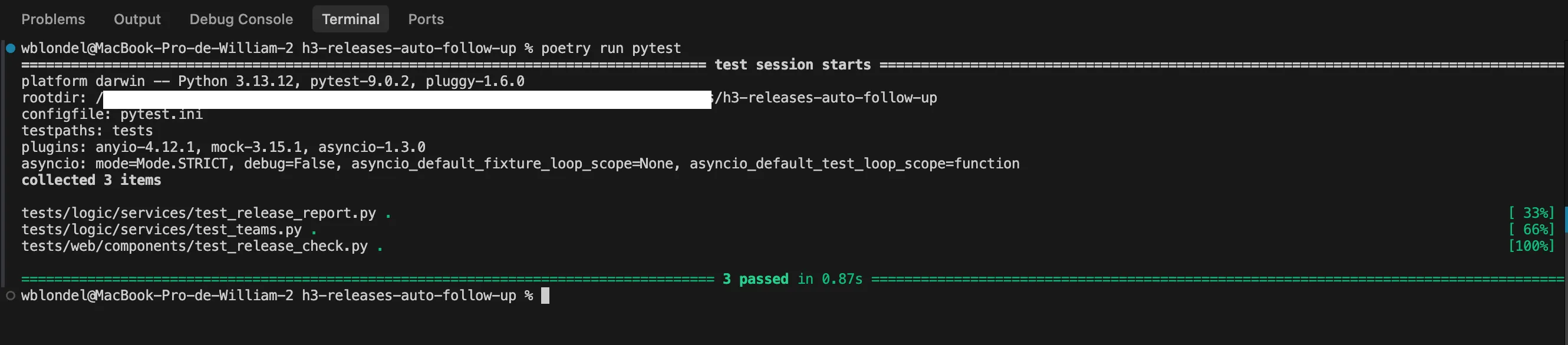
- Unit tests of business services: they validate that
ReleaseReportGeneratorproduces the correctTicketSummaryfor various cases (OK ticket, ticket with invalid fix version, unknown package, disabled change request, etc.). - Web component tests.
- Asynchronous tests with
pytest-asyncio. - Mocks of external services (
pytest-mock) so as never to depend on the network during tests. - Error cases: the suite also verifies that
_save_failure_recordcorrectly persists failed executions, that Jira / LDAP exceptions are properly propagated, and that the Teams notification is fail-safe (partialstatus).
5.2 Linting and formatting
- Ruff is configured with the
ALLpreset (seepyproject.toml), which enables every available rule. - Exceptions are explicitly justified per file (
per-file-ignores). - The code follows a 120-character line length and the
googleconvention for docstrings.
pytest output | ruff check output |
|---|---|
 |  |
5.3 Successive refactorings
Several refactorings aimed at improving maintainability or adding features were necessary:
90670f: replacement of long argument lists with dataclasses.91d52ae: modularization of the web interface into separate components and tabs.2639885: migration of history storage from a JSON file to SQLite + SQLAlchemy.45f4acb: addition of Entra ID authentication.
6. Skills demonstrated (BTS SIO reference framework)
6.1 Block 2 — Application design and development (E6 SLAM)
| Skill | How it was demonstrated in this project |
|---|---|
| Analyze a stated need and its legal context | Reading, formalizing, and validating the existing manual checklist with the Release Manager and QA. Taking into account the internal regulatory context (access security, secrets management, GDPR for AD personal data). |
| Take part in designing the architecture of an application solution | Layered design CLI / logic / web, separation of responsibilities, choice of a centralized orchestration (ReleaseChecker). |
| Model an application solution | dataclass models (TicketSummary, ReportContext, ReleaseCheckerConfig), SQLAlchemy models (ExecutionRecord), Pydantic models (Teams Adaptive Cards). |
| Use the resources of an application framework | FastAPI / NiceGUI for the web, Typer for the CLI, SQLAlchemy ORM for the DB, Pydantic Settings for configuration. |
| Identify, develop, use, or adapt software components | Development of reusable NiceGUI components (ReleaseCheckForm, PsrvControl, ToolsUpdate), JiraClient, LdapService wrappers. |
| Use Web technologies to implement application-to-application exchanges | Asynchronous REST calls with httpx, OAuth 2.0 integration with MSAL, Power Automate webhooks, Atlassian Jira Cloud API, PSRV REST API, Lucca API, Azul Zulu API. |
| Use data access components | SQLAlchemy 2.0 (sessions, DeclarativeBase, mapped_column, ORM queries, upsert), lru_cache for Jira service resolution, JSON serialization for payloads. |
| Continuously integrate the versions of an application solution | GitLab CI pipeline, automatic build and publication of the Docker image to the internal registry, dev / prod / registry Compose profiles, cron on dashupgrade. |
| Carry out the tests required for validation or production rollout | pytest unit tests, asynchronous tests, web component tests, error case checks, manual end-to-end execution in demo mode. |
| Write technical and user documentation | Comprehensive README.md (build, configuration, commands, deployment), README.exam.md (offline exam build), Google docstrings on every public function, this report, and the Annex VII-1-B. |
| Use the features of a development and testing environment | PyCharm, Python debugger, ruff integration, pytest, Docker Compose, Git/GitLab. |
| Gather, analyze, and update information on a version of an application solution | Semantic versioning, rich Git history, documenting changes in feat: / fix: / refactor: commits, update of the internal “How To Deliver a H3 Service Pack” documentation. |
| Assess the quality of an application solution | Ruff preset ALL linter, test suite, manual review of refactorings, monitoring of execution duration (duration_seconds field in the database). |
| Analyze and fix a malfunction | Several fix: commits (fix: app gets stuck when Jira instance is not responding, fix(release_check): resolve ruff issues and refactor db sessions…): diagnosis from execution logs stored in the database, reproduction in demo mode, fix and test. |
| Update the technical and user documentation of an application solution | README.md updated at every major change, internal “How To Deliver a H3 Service Pack” document updated after the tool was put into service. |
| Design and run tests of updated elements | At every refactoring (for example the JSON → SQLite migration), addition of dedicated tests and full execution of the test suite. |
| Use a query language to exploit data | SQLAlchemy ORM queries (session.query(ExecutionRecord).order_by(...).all()), Python filters on ticket lists, JQL on the Jira side (project = ET AND fixVersion = "..."). |
| Develop application features within a database management system | Creation of a SQLite schema via SQLAlchemy Base.metadata.create_all, JSON serialization/deserialization in Text columns, manual upsert for partial executions. |
| Design or adapt a database | Choice of model (single executions table with JSON columns), choice of indexes (timestamp, status), schema evolution without formal migration (local SQLite, recreation allowed). |
| Administer and deploy a database | File-based SQLite, persistence in the storage/ Docker volume, simple backup by file copy. |
6.2 Block 1 — IT services support and provisioning (E5)
This project also contributes to covering the E5 reference framework. The table below lists the sub-skills this work helps demonstrate; the others are covered by other items in the portfolio.
| Skill | How it was demonstrated in this project |
|---|---|
| Identify and inventory digital resources | Section 2.1 “Tools already in place”: exhaustive inventory of the resources consumed by the tool (Jira Cloud, PSRV, Microsoft Teams, Active Directory, Lucca, internal GitLab, Microsoft Entra ID), with each one’s business role and access mode. |
| Use reference frameworks, standards, and norms | OAuth 2.0 (MSAL), REST/JSON, JSON Schema (via Pydantic), Microsoft Adaptive Cards specification, Atlassian Jira Cloud API conventions, PEP 8 enforced by Ruff preset ALL. |
| Set up and verify the authorization levels associated with a service | Microsoft Entra ID SSO authentication (Authorization Code flow), Starlette middleware applying “deny by default”, mapping of Entra ID groups to two application-level roles (read read-only, readwrite full), redirection to /access-denied for users outside the group (see section 3.5). |
| Verify the conditions for IT service continuity | Fail-safe mechanism with priority report persistence (partial status if Teams sending fails), HTTP wait_for_health() on the PSRV before any interaction, explicit shutdown of the Java process via PID file, automatic restart of Docker containers in production. |
| Manage backups | History persistence in a storage/ Docker volume; simply copying the SQLite file is enough for a full backup, which is documented in the README.md. (Skill explored in depth in a portfolio project dedicated to Veeam Backup & Replication.) |
| Verify compliance with rules for the use of digital resources | Strict secrets management via environment variables (pydantic-settings), execution as a non-root user inside the container, vendoring of the private lucca package so as not to expose the internal registry, logged access to Active Directory. |
| Handle requests concerning applications | The tool is an internal support service for Release Managers: it automates a manual support procedure, updates the internal “How To Deliver a H3 Service Pack” documentation, and automatically notifies the right people via Teams (with switchover to the QC assignee + code reviewer if the assignee is on leave). |
| Analyze the objectives and organizational arrangements of a project | Section 1.3 requirements expression (formulation by the company tutor, validation with QA and Release Managers), section 2 preliminary analysis, section 3 design and architecture. |
| Plan activities | Project initialization dated (17 December 2024), refactorings planned in successive iterations (see section 5.3), week-parity cron scheduling so the tool is only triggered at useful moments of the Scrum cycle. |
| Evaluate project tracking indicators and analyze gaps | Persistence of the duration_seconds field on every execution in the executions table, success / partial / error statuses, History view enabling the analysis of gaps between successive executions (duration, Teams failure rate, recurring anomalies). |
| Carry out integration and acceptance tests of a service | pytest suite (unit tests + asynchronous tests + web components), mocks of external services via pytest-mock, demo mode activatable via environment variable for acceptance tests without access to the corporate network, offline exam build (Dockerfile.exam). |
| Deploy a service | Multi-stage Docker image (development / production), compose.yaml with three profiles (dev, prod, registry), GitLab CI pipeline publishing the image to the internal registry, automated deployment on the dashupgrade server, cron scheduling with week-parity logic for recurring runs. |
| Support users in setting up a service | Update of the internal “How To Deliver a H3 Service Pack” documentation after rollout, support of successive Release Managers via the HMM Release Teams channel, README.md covering build, configuration, commands and deployment. |
7. Outcome and outlook
7.1 Functional outcome
The tool is in production and used daily. It has replaced the manual checklist in the new version of the internal documentation (see How-To-Deliver-H3-after-automated-tool.md). Successive Release Managers no longer have to perform the checks by hand: they simply consult the report posted automatically on Teams and only step in when it flags an anomaly.
Measurable gains:
- Time spent on manual checks: divided by 5 to 10.
- Human errors (forgotten resync, missed fix version): eliminated.
- Team visibility on the release’s progress: improved (daily report on Teams).
7.2 Personal outcome
This project allowed me to lead a complete software project from end to end: analysis, design, development, testing, deployment, maintenance, user support, refactorings, hardening. It is representative of the developer’s job in a corporate setting: it includes both architectural questions (where to draw the line between layers?) and very concrete problems (how do you resolve a UPN from an email? how do you make Java and Python work together inside a container?).
I particularly enjoyed:
- the concrete impact on the team (the users are my own colleagues);
- the richness of the Python ecosystem (Jira, MSAL, ldap3, SQLAlchemy, NiceGUI, Pydantic, httpx);
- the architectural freedom my tutor gave me, and the feedback he provided at each review;
- the real production rollout: the tool runs every day, so it must be robust.
7.3 Future evolutions
- Extend the tool to distributions other than H3.
- Allow a package whitelist / blacklist, so that certain recurring anomalies can be deliberately ignored.
- Migrate SQLite to PostgreSQL if the history database grows (several years of history).
- Integrate QC verification (Jira Quality Control status) directly into the report.